
A short trial gives viewers a chance to check whether an internet TV service fits their devices and viewing habits before they commit to a paid plan. US viewers can use Proto IPTV to assess streaming quality, smart TVs, and whether the service carries channels their household needs.
An M3U playlist is a text file containing streaming links that a compatible IPTV player can load. Viewing habits matter, but so does the screen the household plans to use. A service that works on one device may not suit another.
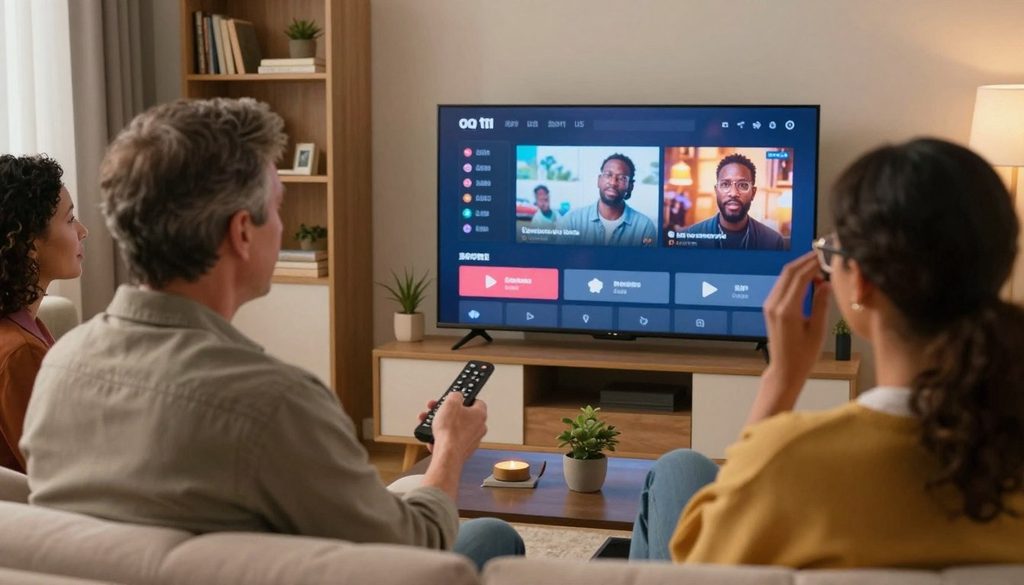
protoiptv
Key Takeaways
- A free trial can help viewers judge service fit before paying.
- Check the intended screen and channel needs during the trial.
- An IPTV player needs login details or a playlist to show channels.
- Compare the full charge, not just the listed monthly equivalent.
- Confirm content rights and the plan’s device limit before paying.
- The best first check is whether the trial can be used on the screen the household plans to watch.
How Does the ProtoIPTV Free Trial Work?
Proto IPTV’s free trial lasts 24 hours and does not require a credit card. That day gives viewers time to check local channels and streaming quality on their intended device.
The trial is a practical test, not a promise that every channel will suit each household. Free trials from IPTV providers typically last from a few hours to several days, so a 24-hour window is a brief chance to assess the service.
An IPTV player alone does not provide a trial or supply channels.
To watch IP TV online, viewers need an internet connection and a compatible IPTV player; a web browser is not always needed. Use this checklist to focus the test:
- Get access to the free IPTV trial.
- Check whether local channels are available.
- Watch for stream stability on the intended device.
- Decide whether the viewing experience fits the household.
Testing the channels a household watches can help assess a provider before buying an IPTV subscription. The trial is most useful when viewers test the channels they actually watch, not only the service’s opening screen.
What Plan Lengths and Prices Are Listed?
The listed plans run from 3 months at $29 to 25 months at $115. Upfront cost and service length both matter when comparing an IPTV subscription.
A longer plan has a lower advertised monthly equivalent but asks for a larger commitment. The table shows the listed total alongside each monthly figure.
Shorter Plans and Total Cost
The 3-month plan totals $29, or $9.67 per month by the advertised calculation. The 6-month plan totals $44, with a listed monthly equivalent of $7.33. Those shorter terms require less time commitment than the longer options.
| Plan length | Listed total | Advertised monthly equivalent |
| 3 months | $29 | $9.67 |
| 6 months | $44 | $7.33 |
| 12 months | $65 | $5.42 |
| 25 months | $115 | $4.40 |
Each month plan has a single listed total, while the monthly equivalent spreads that total across its term. The checkout total and the terms attached to the plan show what the buyer agrees to pay.
Longer Plans and Advertised Monthly Rates
The 12-month plan is listed at $65, or $5.42 per month. The 25-month plan costs $115, with an advertised equivalent of $4.40 per month.
These monthly figures are comparisons, not the total due at checkout. Check the checkout total and terms before payment. Compare the total due today with the length of service, rather than choosing by the monthly equivalent alone.
How Can Viewers Set Up IPTV on Fire TV and Smart TVs?
Setup starts by matching the player and login format to the device, since a Fire TV stick and a smart TV may offer different app options. The login format determines which details the player needs.
Proto IPTV lists compatibility with Windows, smart TVs, Android, Amazon Fire Stick, MAG, and devices that support M3U or portals. Some Fire TV and Android TV users may need to sideload an IPTV player.
Fire TV Setup With Login Details
Use the format supplied with the IPTV subscription. Follow these steps to connect the player:
- Install a compatible IPTV player on the device.
- Retrieve the login details or M3U playlist.
- Choose Xtream Codes API for supplied credentials, or load the M3U playlist when supplied.
- Enter the details carefully, keeping the login format unchanged.
- Let the channel list load before selecting a stream.
App availability varies by TV model. If sideloading is needed, use a trusted app source rather than an unknown download site.
Smart TV Setup With a Playlist or Portal
Some smart TVs offer a player through their app store; others may support a playlist or portal through a compatible app. A TV’s model and available apps affect which route works.
The service lists support for M3U files and portals, so the player must accept the format provided for the account. Setup problems can come from mismatched formats as well as mistyped credentials. Before troubleshooting, check whether the login details were entered in the correct format.
Some Fire TV and Android TV players may require sideloading, so the app’s install path can differ by device.
Which IPTV Player Fits Each Device?
The right IPTV player is the one that accepts the subscription’s login format and runs on the intended device. Format support is the first useful comparison.
IPTV Smarters Pro is a player, not a channel source; users need their own legally acquired media. Players vary in playlist support, device fit, and added tools.
Compare Playlist Formats and Player Features
The table compares three player options by login type, platform, and a distinct feature or cost. TiviMate supports M3U URLs and Xtream Codes API logins.
| Player | Playlist or login support | Platform fit | Distinct feature or cost |
| Smarters Pro | M3U and JSON playlists | Android, iOS, Windows, macOS | Supports two playlist types |
| M3U IPTV | M3U, M3U8, Xtream Codes login | Android TV | Electronic program guide; remote optimized |
| TiviMate | M3U URLs, Xtream Codes API | Android TV | $9.99 yearly or $33.99 lifetime premium |
Features worth comparing include an electronic program guide, favorites, recording, video-on-demand, and multi-screen viewing. The right mix depends on how the household watches.
Choose a Player for the Device
Downloading an IPTV player from an official app store is the straightforward option when available. Some Fire TV and Android TV players may instead need sideloading.
The Smarters IPTV Pro App Store listing is a separate app listing from other Smarters apps. It supports M3U playlists on iOS and tvOS, requires iOS 15.0 or later, and offers a 7-day trial.
Other player choices include MYTVOnline3, XCIPTV, Sparkle TV, iMPlayer, Televizo, Kodi with an IPTV client, and Perfect Player. Confirm the exact app name and platform requirements before paying for an app upgrade.
legally acquired media must be added by the user; the player does not provide channels.
Is IPTV Legal, and Where Can Viewers Find Free Channels?
IPTV is a delivery method, while the legality of a channel stream depends on whether its distributor has the required rights. Content rights matter more than the app used to watch.
IPTV technology is not inherently illegal in the United States, but a service needs rights to distribute copyrighted channels. A player’s availability does not prove that a playlist is authorized.
Check Content Rights Before Subscribing
Smarters Pro and M3U IPTV do not provide channels or sell streaming subscriptions. Users must add legally obtained media or a playlist they have permission to use.
Free TV’s M3U8 playlist contains channels officially offered free to viewers, rather than paid channels. Its playlist address is https://raw.githubusercontent.com/Free-TV/IPTV/master/playlist.m3u8.
Free Internet TV Playlists and Sources
Viewers can also find free internet-TV programming through these named services:
- Plex TV
- Pluto TV
- Redbox Live TV
- Roku TV
- Samsung TV Plus
- YouTube live channels
Some channels in Free TV’s playlist carry a Ⓖ mark. That symbol means geoblocking applies, so access can depend on the viewer’s location.
Use a free channel source only for streams it is authorized to provide in the viewer’s location.
What Affects IPTV Streaming Quality?
Stable playback depends on both the available bandwidth and how consistently the home network delivers it. Network stability can matter as much as the speed test result.
Proto IPTV recommends at least 15 Mbps for HD and 30 Mbps for 4K. A wired Ethernet connection is preferred over Wi-Fi for best performance.
Household network congestion can slow streams when several people use the connection at once. Device performance and stream resolution can also affect playback.
An HD stream puts less demand on a connection than a 4K stream. A slow device can still struggle even when the internet speed meets the recommendation.
Claims about anti-freezing technology do not guarantee uninterrupted viewing. A busy Wi-Fi network, weak signal, or limited device resources can still cause pauses.
If playback drops on Wi-Fi, test the same stream over Ethernet before changing subscription settings.
What Should Viewers Check Before Paying?
Before paying, viewers should confirm that the plan’s device limit matches the number of screens they expect to use at once. Simultaneous use is different from installing an app on several devices.
The standard Proto IPTV subscription supports one device connection at a time. Check these four details before placing an order:
- How many screens can stream at the same time?
- What is the total charge, and how long does the plan last?
- What terms apply to the refund policy?
- How will the service deliver the login details?
Proto IPTV offers a 7-day money-back guarantee.
Installing an app on multiple devices does not mean that one subscription can stream on those screens at once. A household that needs concurrent viewing should check the checkout terms for multi-connection options.
Login delivery matters when the app is ready but the account details have not arrived. Keep the delivery method and account instructions with the order information.
Save the checkout terms and login instructions so they are available if account access needs support.
Conclusion
A suitable IPTV subscription should match the household’s devices, viewing needs, and expectations for content rights. The 24-hour free IPTV trial is the lowest-commitment way to check Proto IPTV before paying.
Viewers should choose a paid term only after confirming the intended device, the rights behind the channels, and the number of screens used at once. That check can prevent a mismatch between the service and household needs.
Start by requesting the free trial and testing it on the device the household plans to use.
FAQ
Does Proto IPTV’s free trial need a credit card?
No, Proto IPTV’s 24-hour free trial does not require a credit card. Viewers can use the trial to check whether the service works for their household before choosing a paid term. The trial works best when tested on the device and connection the household expects to use. An IPTV player still needs valid access details to load channels.
Can a standard Proto IPTV subscription stream on two screens at once?
No, the standard Proto IPTV subscription is for one device connection at a time. Installing the player on two screens does not make both streams available at once. Households that need concurrent viewing should check the checkout details for multi-connection options. The device limit applies to active connections, not simply to the number of devices with an app installed.
What internet speed is recommended for 4K IPTV?
At least 30 Mbps is recommended for 4K IPTV, with a stable connection. A wired Ethernet connection can help when Wi-Fi drops or varies across the room. Other household devices can use bandwidth at the same time, which may affect playback. A capable streaming device also matters, since weak hardware can struggle even on a fast connection.
Can an IPTV player provide channels without a playlist or subscription?
No, an IPTV player needs a playlist, login, or other authorized media source to show channels. Smarters Pro is a standalone player, not a channel service. Users must add legally acquired media themselves. The same distinction applies to other player apps: installing one does not create access to channels or a paid streaming account.
Why might an IPTV playlist show some channels but not others?
A playlist may show only some channels because of incorrect login details, unstable internet, or limited playlist access. A channel may also be geoblocked in the viewer’s location. Check whether the affected stream is included in the playlist and whether its access rules allow viewing there. If other channels work, the issue may affect that stream rather than the whole player.
Is sideloading an IPTV player necessary on Fire TV?
Sometimes; some Fire TV and Android TV players may require sideloading, while others appear in an app store. Availability depends on the device and the specific player. An official app store is the simplest install route when the app is listed there. If sideloading is needed, use a trusted app source and confirm that the app supports the device.
Leave a Reply