
A crowded channel lineup is easier to use when the program guide shows what is on now and what is scheduled next. An electronic program guide (EPG) displays schedules and program information alongside live channels in an IPTV player. The best IPTV with EPG for a Canadian viewer depends on channel access, useful listings, and device fit.
An IPTV player displays a service’s content, but it does not supply the channels. Viewers can compare provider guides with player-based or external guide data, then check how each option works during everyday viewing. Compatibility matters, since a good guide is less useful when the player does not work well on the viewer’s device.
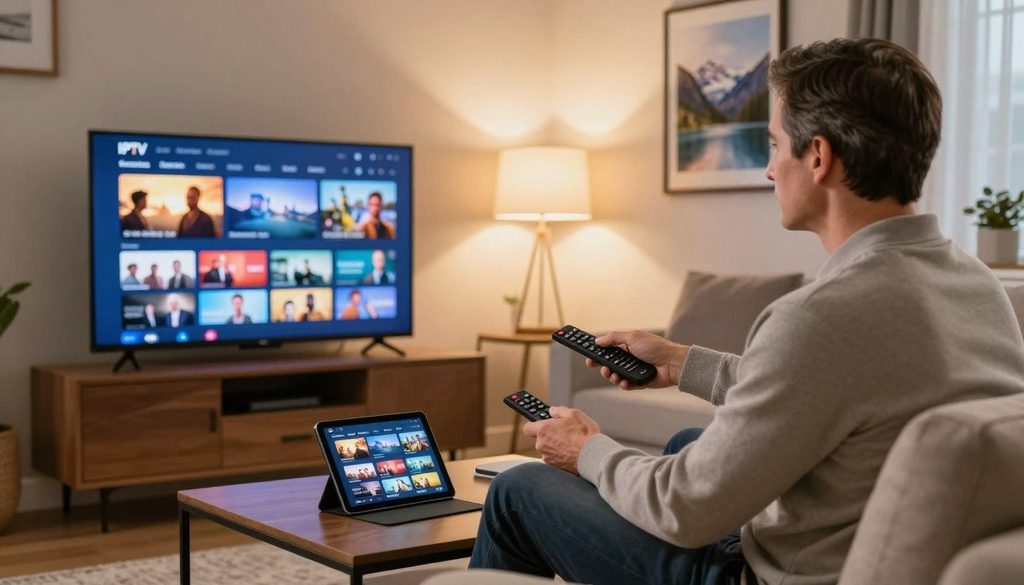
best iptv with epg
This comparison covers provider access, IPTV players, public guide feeds, and basic setup. It also explains how to check a service before paying, so users can judge the experience on their own screens. The most useful comparison checks both the guide and the service that supplies the channels.
Key Takeaways
- Check the channel lineup and the guide as separate features.
- Match the IPTV player to the device used for viewing.
- Use a public EPG feed only when its channel IDs match.
- Test guide updates and playback on the intended device.
- Check a service’s content permissions before subscribing.
Best IPTV With EPG in Canada: What Should Viewers Compare?
For viewers who want to test a service’s guide and channel access without entering payment details, ProtoIPTV is a practical first option to assess. Its 24-hour IPTV trial requires no credit card, giving users time to inspect access and guide quality in their own setup.
ProtoIPTV advertises more than 28,000 live and popular channels and a VOD library with more than 100,000 movies in 2026. It also advertises a seven-day EPG in Grid or Classic format. Those counts describe advertised access, not the completeness of every channel’s schedule.
Channel and VOD access do not prove that every channel has a complete EPG. Viewers should judge the listings separately from the content lineup.
During the trial, users can check whether the channels they watch are available and whether the grid is easy to scan. Program descriptions should be clear enough to help identify a show, not just fill space beneath its title. The guide should also load without disrupting streaming.
ProtoIPTV says its trial works with TiviMate and IPTV Smarters Pro. Its listed devices include Android TV boxes, Android phones and tablets, Amazon Fire Sticks, and Nvidia Shields. The intended device matters because a service can behave differently across screens and apps.
GSE Smart IPTV and IPTV Smarters Pro are players, while an IPTV service provider supplies channel access. A free public XMLTV feed may suit users who only need guide data, but it does not replace a service. GSE Smart and Smarters Pro can display compatible listings, yet each app’s layout and options differ.
ProtoIPTV offers a useful starting point for comparing an EPG with service access, while a public feed can fill a guide gap. Before choosing, note whether the guide shows current programs, upcoming schedules, and readable descriptions. Use the trial to check the channels and guide on the same device used for regular viewing.
Which IPTV Players Fit Different Devices and EPG Needs?
An Android household that values recording should start by comparing TiviMate, while a multi-platform household should look first at IPTV Smarters Pro. The clearest Windows choice is IPTV Smarters Pro, based on its listed platform coverage.
Each IPTV player handles EPG data alongside channel streams, but the interface and extra features vary. TiviMate is Android-only and suits viewers who want a customizable screen and recording tools. A 2026 comparison lists TiviMate Premium at $6.99 per year.
Android-Focused Features in TiviMate
TiviMate focuses on Android devices, including Android TV setups. Its customizable interface can help users organize a large lineup, and its recording features suit viewers who want to save programs. The app may be a poor fit for a household that watches mainly on iOS or Windows.
Perfect Player is another option with EPG functionality and a simpler feature set. It can suit viewers who want a guide without many extra controls. VLC can play IPTV streams, but it is a general media player, not a dedicated IPTV app.
Cross-Platform Options: IPTV Smarters Pro and GSE Smart IPTV
IPTV Smarters Pro is listed for Android, iOS, Windows, macOS, and Fire TV. Its parental controls and catch-up TV may help households with different viewing needs. GSE Smart IPTV is listed for iOS, Android, and macOS, with cloud sync and Chromecast support.
GSE Smart IPTV can suit viewers who move between supported devices or cast to a television. IPTV Smarters Pro covers more listed platforms, including Windows. Neither app can supply channels on its own, and features may vary by version or device.
| Player | Listed platform coverage | Relevant EPG or feature detail |
| TiviMate | Android | Recording and customizable interface |
| IPTV Smarters Pro | Android, iOS, Windows, macOS, Fire TV | Parental controls and catch-up TV |
| GSE Smart IPTV | iOS, Android, macOS | Cloud sync and Chromecast support |
For a best free IPTV player for Windows, IPTV Smarters Pro is the clearest listed choice; its fit still depends on the needed features. Smart IPTV is another name viewers may encounter, but platform support and EPG options should guide the choice. Check the app’s current availability on the exact device before setting up a playlist.
Where Can Canadian Viewers Find a Free EPG Source?
A free Canadian XMLTV listing is one option for filling guide gaps, but its channel entries still need to match the viewer’s playlist. A guide feed lists schedules, not channel streams, so it cannot replace an IPTV service or M3U link.
A public Canada XMLTV listing showed 805 channels and 119,525 shows in 2026, with data marked as updated three hours earlier. Update times can change, and a large listing may still miss the channels a viewer wants. A provider-supplied EPG URL may match its own playlist more closely.
Public XMLTV Data for Canadian Channels
| Source | Access or setup | Best fit or check |
| Public Canada XMLTV listing | Ready-made country feed | Check Canadian channel matches and update time |
| Provider-supplied feed | EPG URL from provider | Check coverage against its playlist |
| Self-managed iptv-org guide | Node.js, Git, and guide.xml output | Choose channels and manage updates |
Free sources and playlist editors include EPG.lat, IPTV-EPG.org, m3u4u.com, XMLTV.cc, and GitHub community lists such as iptv-org. These are options to evaluate, not guarantees that Canadian channel names or IDs will match. A feed may list programs even when no stream is available for that channel.
Build or Customize a Guide with iptv-org
The iptv-org/epg project requires Node.js and Git, then can produce a guide.xml file. It can combine selected sites or use a custom channel XML file. Users can also schedule downloads, which helps keep a self-managed guide current without repeating each step by hand.
To find a free EPG URL for IPTV or the best EPG source URL, start with a public country feed or the URL supplied by the service. An EPG source for IPTV works only when it covers the desired channels and the player can read its format. Before using one, check three details:
- Country coverage: the feed includes the Canadian channels in the playlist.
- Update recency: the data was refreshed recently enough for current schedules.
- Channel-ID compatibility: feed IDs match the playlist, or the player allows mapping.
Some playlist editors can help align channel information, but they cannot make unrelated guide entries accurate. Channel identity is the key check when a feed contains a similar station name but a different ID. A source with many listings is useful only when its channel IDs align with the channels being watched.
How to Add EPG to IPTV Smarters Pro and TiviMate
A separate EPG URL adds schedules and descriptions to a playlist, while the M3U link supplies channel stream addresses. The two addresses serve different jobs, even when a provider sends both together.
Providers may send an EPG URL in a welcome email or customer panel, and it commonly ends in .xml or .php. IPTV Smarters Pro may label its field EPG URL, Electronic Program Guide URL, or Install EPG URL. Use the exact field shown by the app version.
Enter an EPG URL in IPTV Smarters Pro
To add an EPG to IPTV Smarters Pro, enter the guide address while adding or editing the playlist. An existing playlist may need to be edited or added again before the app uses the new address. The basic setup is:
- Find the EPG URL in the provider’s email or customer panel.
- Enter it in the EPG field while adding or editing the playlist.
- Save the playlist so the app can use the guide source.
- After login, refresh the guide if listings do not appear.
Smarters Pro usually updates guide data after login, and some versions offer Refresh EPG or Update EPG controls. A refresh interval of app start or every 24 hours can keep data current. Xtream Codes connections may supply EPG details automatically, while an M3U setup may need a separate URL.
Add an EPG Source in TiviMate
In TiviMate, open Settings, choose the selected playlist, and open EPG sources. Enter the EPG URL there, save it, then run an EPG update. The labels may differ slightly across app versions, but the source belongs to the selected playlist.
The URL must be exact, with no typo or extra space, and it must use the correct http or https. A valid feed can still show blank rows when the playlist’s tvg-id does not match the EPG channel ID. Some players let users map the playlist channel manually to the matching guide entry.
Fix Missing Listings and Keep Data Current
When only some channels lack listings, compare each channel’s tvg-id with the matching EPG entry. A manual assignment can fix a mismatch when the app allows it. When every listing is blank, check the full URL and whether the playlist uses a separate guide source.
If the app accepts the address but shows old schedules, use its refresh control or update the feed on app start. Check a few affected channels after each change, rather than judging the full lineup from one row. After a URL or channel match is corrected, refresh the EPG and verify the affected listings in the guide.
How Can Canadian Viewers Check IPTV Legality?
IPTV describes a way to deliver television over internet networks, not whether a particular service has permission to distribute its programs. IPTV technology alone does not show that a service is licensed; the provider’s rights matter.
Canada’s Copyright Act bars unauthorized reproduction or telecommunication of protected works to the public. The CRTC regulates broadcasting under the Broadcasting Act. It reviews digital broadcasting models, issues licenses, and sets criteria for exemptions.
A licensed service has the required broadcasting licenses and copyright agreements. An unauthorized service redistributes content without the needed permissions.
That difference applies no matter which IPTV player displays the streams. An app’s recording features, interface, or EPG do not prove that the content provider has permission. Viewers need to assess the service, not treat the player as proof of lawful access.
Canadian courts have authorized website-blocking orders tied to unauthorized IPTV services. Those orders can require internet service providers to block associated IP addresses and domains. A blocked site does not by itself explain every legal issue, but blocking orders show that courts can act against unauthorized distribution.
Clear details about licensing and copyright permissions help distinguish a licensed service from one that simply offers a large lineup. Unclear rights claims deserve caution, even when the streaming app looks polished. Before subscribing, check whether the service can clearly explain its broadcasting licenses and copyright permissions.
Conclusion
The best fit is the service and player combination that shows the right channels, usable schedules, and stable performance on the viewer’s device. Testing that combination before paying can reveal problems that a channel count or app feature list cannot show.
Viewers who only need missing schedule data can try a compatible public EPG feed. Those who want a simpler setup can begin with the provider’s own guide, which may already match its playlist.
A GSE Smart IPTV app may suit a viewer who values casting or cloud sync, while another player may fit better for recording or device support. Start with the free ProtoIPTV trial, then check the guide and channel lineup before deciding whether to continue.
FAQ
Can a free XMLTV guide provide the IPTV channels too?
No, a free XMLTV guide provides schedule data, not IPTV channels. The IPTV service provides channel access, and the M3U link contains the channel stream addresses. A guide can show program names and times beside channels when the player can match its entries. It cannot create a stream or grant access to a service’s content.
Why does an EPG show listings for some channels but not others?
A mismatch between the playlist’s tvg-id and the EPG entry often causes missing listings. The player uses channel IDs to connect a stream with its schedule, even when the displayed channel names look alike. Compare the IDs for an affected channel, then map it manually to the correct entry if the app offers that option.
Can one EPG URL work in more than one IPTV player?
Yes, one EPG URL can work in more than one IPTV player if each app accepts its format. The feed must also contain channel IDs that match each player’s playlist. A URL that loads in one app may still need separate channel mapping in another, since playlist IDs can differ between services or devices.
What should viewers check before using a public EPG URL?
Viewers should check Canadian channel coverage, update recency, and exact URL entry before using a public EPG URL. A country feed may include many channels but omit a local station or use IDs that do not match. The address also needs to be copied without extra spaces, typos, or a change between http and https.
What is the difference between an IPTV player and an IPTV service?
An IPTV player organizes and displays streams, while an IPTV service provides channel access and credentials. The player may offer an EPG, recording, or sorting tools, but those features do not supply the channels. The service’s access details connect the playlist to streams, and the player presents them on a supported device.
What does an ISP block when a Canadian court orders an IPTV-related website block?
A Canadian court order can require an ISP to block IP addresses and domains associated with unauthorized IPTV services. The block targets the listed network addresses or website domains, rather than changing how an IPTV player works. Access may fail when a user tries to reach a blocked site or service linked to those addresses.
Leave a Reply