
Australian households can compare internet-delivered television with familiar cable and satellite viewing, but a large channel claim alone cannot establish whether a service fits their home. Choosing the best IPTV provider 2026 means weighing the household’s viewing habits against the offer itself.
This review looks at ProtoIPTV as one option for a family that wants live channels through an internet connection. A product review should separate a useful trial and convenient setup from proof of content rights. Channel lineups, pricing, and performance need checking before purchase.
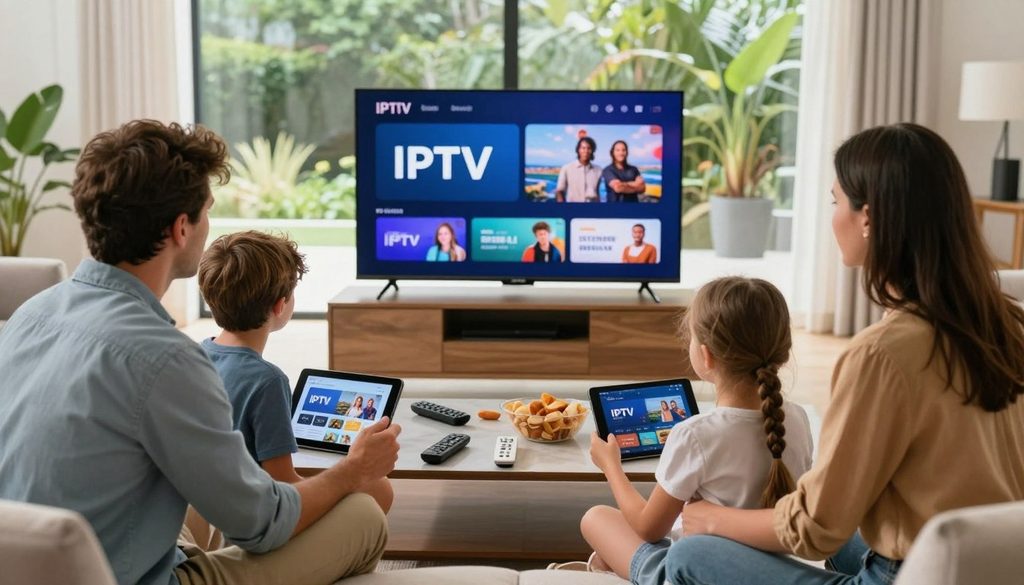
best iptv provider 2026
The right choice depends on the channels people watch, the screens they use, and the way they prefer to pay. A channel count alone says little about whether a service carries the exact program a household wants.
Treat the trial as a chance to test the household’s actual viewing needs, not as a substitute for checking the provider’s rights.
Key Takeaways
- IPTV delivers television over an internet connection.
- Check channel rights, not just channel claims.
- Test a service on the household’s intended device.
- Compare the full charge and renewal terms.
- Choose based on the programs the household watches.
What Is IPTV and How Does It Work in Australia?
IPTV carries television programming through an internet connection, while cable and satellite services use different delivery networks. The delivery route changes, but viewers still use a screen and service to watch programs.
Internet protocol television (IPTV) means television delivered over internet protocol networks rather than through terrestrial broadcast, cable, or satellite. A provider sends its programming over the internet, and an app on a viewing device receives and plays the stream. IPTV is a delivery method, not the name of one app or provider.
A stable home connection and a compatible device are both needed for internet-delivered viewing.
That path can carry live channels, catch-up programs, and on-demand titles, depending on the service. A streaming app can also deliver video without being an IPTV service built around live television.
Online video is already common in Australia. In 2025, 91% of Australian adults watched video through an online service during a typical week. That figure covers online video broadly, not IPTV use alone.
The internet connection carries data in packets, which the app turns into a moving picture and sound. When the connection or stream falters, viewers may see pauses, low picture quality, or failed playback.
IPTV can offer a different mix of live entertainment from cable or satellite, but the content varies by provider. The name of the delivery method does not tell a household which programs are available.
A stable home connection and a compatible device are both needed for internet-delivered viewing.
Is IPTV Legal in Australia?
An IPTV provider in Australia needs the necessary rights to distribute the channels and programs it offers. Permission matters because a working stream does not by itself show who may share the content.
Copyright owners generally hold exclusive rights over certain uses of their work, including communicating it to the public. Distributing protected content usually needs permission unless an exception or statutory licence applies. Viewers should check whether a provider has permission for its channels and programs.
Australian providers need the right permissions, licences, or agreements to distribute the content they offer. A provider’s logo, app, or large channel list does not establish those rights.
Copyright permission for channels and programs
Check the specific channels and programs the household plans to watch. A broad claim about a country, sport, or movie library may not explain which content the provider can distribute.
The following checks help assess the provider’s claims:
- Named channel and program rights.
- A clear provider identity and contact details.
- Written service and billing terms.
- A direct answer about licensing.
Which 2026 content rules apply
Some large subscription video-on-demand (SVOD) services face content requirements that took effect in 2026. The Australian Communications and Media Authority oversees compliance with those rules.
Those requirements apply to certain large SVOD services. They do not, by themselves, establish the licensing status of every IPTV provider. The categories and rules should not be treated as interchangeable.
A trial that plays successfully does not establish that a provider has permission to distribute the content.
Which Channels and Guide Features Should Viewers Check?
The useful question is whether the guide contains the exact channels and programs the household intends to watch. Names and schedules matter more than a broad claim about a large lineup.
An electronic program guide (EPG) displays channel schedules and helps viewers browse what is on. ProtoIPTV offers a 7-day EPG in Grid or Classic format. A guide shows schedules; it does not prove that a particular channel is available.
A Grid layout places programs in rows and columns, while a Classic view presents a more familiar list. Either format can help viewers plan, but the household still needs to match each listing to its actual viewing plans.
| Content category | What to verify | Example check |
| Local news | Named local channel | Check the exact channel name |
| Sports | Named event or network | Check the specific match or broadcast |
| Movies and series | Requested title | Check whether it is live or on demand |
| International | Country and language | Verify the specific channel |
International IPTV availability should be checked country by country and channel by channel. A label such as “international” may cover different languages, regions, and channel rights.
Schedules can also help reveal whether a listed event appears at the expected time. A useful check is a program the household knows, rather than a guide page filled with unfamiliar listings.
Check the EPG against a program that is scheduled to air, rather than judging the guide by its layout alone.
Which Devices Work With ProtoIPTV?
ProtoIPTV lists five compatible device types, including Android TV boxes and Amazon Fire Sticks. The stated list gives households a starting point for checking their screens.
ProtoIPTV says it works with Android TV boxes, Android phones, Android tablets, Amazon Fire Sticks, and Nvidia Shields. The intended use matters: a phone suits personal viewing, while a television device suits a shared screen. Listed compatibility does not confirm how many devices can stream at once.
Supported screens and streaming devices
The table pairs each listed device with a practical household check. It can help catch a mismatch before someone sets up the service on the wrong screen.
| Device | ProtoIPTV compatibility | Household check |
| Android TV box | Compatible | Check the television’s HDMI input |
| Android phone | Compatible | Check whether the screen suits personal viewing |
| Android tablet | Compatible | Check the tablet’s screen size |
| Amazon Fire Stick | Compatible | Check the television’s HDMI input |
| Nvidia Shield | Compatible | Check the intended television setup |
Installed devices versus simultaneous streams
Installing an app or service on several devices does not mean each device can play at the same time. Providers may set a limit on simultaneous connections for each plan.
That difference affects a household with separate rooms or viewers who watch different programs. Before relying on multi-room viewing, confirm the connection limit for the selected plan.
Before a family plans to watch on separate screens at once, confirm the plan’s simultaneous-stream limit.
How Do Viewers Set Up and Test a ProtoIPTV Trial?
The fairest test is to use the device, connection, and kind of program the household expects to use after subscribing. Real viewing shows more than a quick login check.
ProtoIPTV recommends TiviMate or IPTV Smarters Pro as IPTV apps. The app acts as the player used to access the service; it does not prove that the service has rights to its content. Test the stream during the hours and conditions the household actually watches.
Choose a compatible IPTV player
Install one of the recommended apps on the device the household plans to use. Use the provider’s setup details in the app, then confirm that the intended channels and titles load.
Test the viewing experience at home
Run these checks during the test:
- Install a recommended app on the intended device.
- Test between 7 and 9 p.m. AEST, during evening viewing hours.
- Watch a listed sport channel for at least 30 minutes, checking freezes and audio problems.
- Start a requested on-demand title; 2-3 seconds is a practical loading benchmark.
A long sport test can reveal problems that a brief channel preview misses. Fox Footy, Fox League, and beIN Sports 1 are examples to test only if the provider lists them. Their names do not confirm that they appear in ProtoIPTV’s lineup.
For on-demand viewing, pick a title the household would genuinely watch. Note whether playback begins promptly and whether the stream stays clear during the first few minutes.
Record any freezes, audio sync problems, or failed channel loads during the test so they can be raised before paying.
Is ProtoIPTV the Best IPTV Provider 2026 for Australian Viewers?
ProtoIPTV is a reasonable trial-first option for Australian viewers who want to test a service before deciding whether to subscribe. Its clearest advantage is a 24-hour free IPTV trial that does not require a credit card.
That makes it easier to try the service without entering card details for the trial. A low-friction test is not proof of licensing, channel breadth, or reliable streams. Those points require separate checks based on the channels and programs the household wants.
For viewers who mainly want mainstream paid on-demand programs, Netflix, Stan, and Binge are alternatives in a different service category. Their catalogues focus on on-demand viewing rather than the same live-channel model.
ProtoIPTV suits a viewer who wants to assess its particular offer in use. It is not an automatic choice for every family, especially when the household’s main interest is a specific paid streaming library.
The 24-hour window is most useful when the household has a short list of must-watch channels and programs. A login alone only confirms that the account opens, not that the service meets the family’s needs.
Use the 24-hour window to test the channels and programs the household actually wants, not just to confirm that the login works.
Which ProtoIPTV Subscription Term Fits a Household?
ProtoIPTV lists five subscription durations, from one month through twenty-four months. Shorter terms limit the commitment, while longer terms make sense only after a viewer has tested the service.
The listed choices are one, three, six, twelve, or twenty-four months. The cheapest IPTV service is the one with the lowest total charge for the rights and simultaneous viewing the household needs. A long term is not automatically the best value.
| Subscription term | Commitment horizon | A sensible fit |
| 1 month | Shortest listed term | New viewer testing a service |
| 3 months | Short commitment | Viewer who wants more time to assess |
| 6 months | Medium commitment | Household satisfied with several months of use |
| 12 months | Long commitment | Viewer confident after sustained testing |
| 24 months | Longest listed term | Viewer comfortable with a longer commitment |
The total cost depends on the selected term and any connection options. A lower monthly equivalent can still mean a larger payment upfront.
Before paying, check the total amount charged, the renewal conditions, and the cancellation terms. The written terms should make clear whether a plan renews and what happens when a viewer wants to stop.
A household that has not tested reliability should avoid choosing a longer commitment solely on the promise of a lower monthly equivalent.
What Should a Premium IPTV Service Deliver?
A premium service should be judged by whether it keeps the requested stream watchable and resolves problems clearly. Useful support addresses a real issue, rather than repeating a quality claim.
ProtoIPTV says its customer support is available 24/7. A household can test the support route with a specific setup or playback question and see whether the reply addresses it. HD and 4K labels describe picture resolution, not stream stability.
Support that can resolve viewing problems
Find out how support handles a channel outage, a billing concern, or a playback fault. A clear contact route matters most when the problem affects a program someone planned to watch.
Quality checks for live sport and busy periods
A stream can look sharp in one moment and still freeze later. Check the experience across a full program, with attention to picture and sound as well as whether playback continues.
These five checks focus on what viewers can observe:
- Uninterrupted live playback.
- Audio that stays in sync.
- A stable picture without sudden changes.
- A clear response to a channel outage.
- A clear route for contacting support.
AFL finals and NRL State of Origin are examples of busy Australian sports viewing periods. They can be useful times to test any channel the provider claims to offer, since many viewers may want the same live event.
Give more weight to a support response that solves a real setup question than to an unsupported claim of flawless playback.
What Alternatives Can Australian Viewers Compare?
A live-channel subscription and an on-demand streaming subscription solve different viewing problems. One centers on schedules, while the other centers on a library viewers can browse when they choose.
Netflix, Stan, and Binge are paid subscription video-on-demand services. In 2025, 68% of Australian adults used paid subscription streaming services, including these services. That figure gives local context, not a quality rating or a measure of IPTV adoption.
| Option | Main viewing model | What to compare |
| ProtoIPTV | Live-channel IPTV service | Exact requested channels and rights |
| Netflix, Stan, and Binge | Paid SVOD services | On-demand catalogue and household fit |
| ABC iview and SBS On Demand | Broadcaster streaming | Program availability and catch-up needs |
Broadcaster apps can suit viewers who want local programs or catch-up viewing. Their offers differ from paid libraries and live-channel packages, so the same comparison does not fit every household.
These categories are alternatives for different viewing needs, not interchangeable channel packages. A household that follows scheduled sport may value live channels, while another may care more about a film library.
Compare alternatives by the programs the household watches most, rather than by the word streaming alone.
The best fit comes from matching the service model to actual viewing habits. A family may choose more than one type of service, but each should answer a clear need.
How Should Australian Viewers Compare IPTV Providers?
A provider comparison is only as useful as the current Australian channel and rights information behind it. Fresh details matter because channel lists, terms, and service performance can change.
A top 10 IPTV providers list for Australia is useful only when each option is checked against current local rights and the household’s viewing needs. Compare exact channels, sports availability, EPG usability, device support, billing terms, trial conditions, support, and simultaneous-stream limits. A top IPTV 2025 ranking is a dated snapshot, not a decision rule for 2026.
What a top-10 provider shortlist should compare
A shortlist can help organize choices, but it should not replace checks on each service. A list that names ten providers without current details cannot show whether the household’s local channels or programs are included.
M3U playlists and the Xtream Codes API describe ways to access a service. They do not show that a provider has permission to distribute a channel or program.
Use these five questions to compare providers:
- Which exact Australian channels are included?
- What rights cover the named programs?
- What is the total charge and renewal term?
- Which devices and concurrent streams are supported?
- How can outages and billing problems be resolved?
How to read a 2025 ranking in 2026
A ranking from 2025 records a past view of the market. Australian channel availability, terms, and service performance should be checked again for a 2026 decision.
The same name or plan can present a different fit as a household’s needs change. A viewer focused on live sport should compare the named event and channel, while a household focused on news should check its preferred local station.
Keep a written record of the channel list, total charge, renewal condition, and support contact before choosing a plan.
Conclusion
ProtoIPTV is most defensible as a service to test carefully, not as an automatic choice based on a provider label. Its no-card trial can help a household test playback, while content rights and the actual channel offer need separate checks.
A useful next step is to choose one must-watch channel and one intended device. Check whether the service offers the channel, then test how it plays on that screen.
Verify the rights and terms, test the household’s priority viewing, and subscribe only if both checks meet the household’s needs.
FAQ
What internet speed is enough for IPTV?
A stable connection of at least 25 Mbps is a practical baseline for live TV streaming. That speed can support common viewing, but it does not guarantee smooth playback in every home. A 4K stream and other devices using the connection need extra headroom. A wired connection or a strong Wi-Fi signal can also help keep the stream steady.
Why can IPTV buffer even when a speed test looks fast?
IPTV can buffer because of Wi-Fi congestion, peak-time network load, or a problem with the provider’s stream. A speed test measures a brief connection to its test server, not every link used by a live channel. Other devices may also use bandwidth at the same time. Testing another device or network can help narrow down the cause.
Can viewers use an IPTV service while travelling within Australia?
Yes, viewers may be able to use an IPTV service while travelling within Australia, depending on account rules, device compatibility, and the internet connection. A hotel network may block some apps or deliver uneven speeds. Mobile data can work, but streaming uses data quickly. The provider may also limit where or how an account can be used.
What is the difference between an IPTV app and an IPTV provider?
An IPTV app is the player interface, while an IPTV provider supplies access to channels and programs. The app can organize streams and show a guide, but it does not create the channel rights. Those rights still matter for the content the provider distributes. A familiar app name alone does not confirm the provider’s offer or permissions.
Does an M3U login prove that a provider’s channels are licensed?
No, an M3U login does not prove that a provider’s channels are licensed. M3U is a playlist format that can organize stream addresses for a player. It does not show who owns the content or whether the provider has permission to share it. A login confirms access to a playlist, not the rights behind each channel.
What should a customer do if a subscribed channel disappears?
Keep the channel name, the date it disappeared, and the billing details, then contact the provider’s support team. A clear record helps support identify whether the issue affects one channel or the full service. Before paying for another term, read the written cancellation and refund terms. Save any support replies alongside the account and payment records.
Leave a Reply