
A useful IPTV choice starts with confirming the channels and devices a household actually needs, not with the largest advertised library. The right fit depends on verified content, playback on the home connection, compatible devices, and clear subscription terms. A free IPTV trial can show whether those parts work together before a household spends more.
ProtoIPTV offers a 24-hour free trial without a credit card, giving USA viewers a practical way to test the service first. The trial can help a household judge whether its favorite live television and viewing needs fit its home entertainment setup. A text-based M3U playlist is a list of stream addresses that a compatible player can load.
Readers should compare the service, the player, and the device as separate parts of one setup. A broad channel list matters less if the needed local station is missing or the app is hard to use. Test playback at home before committing to a longer plan.
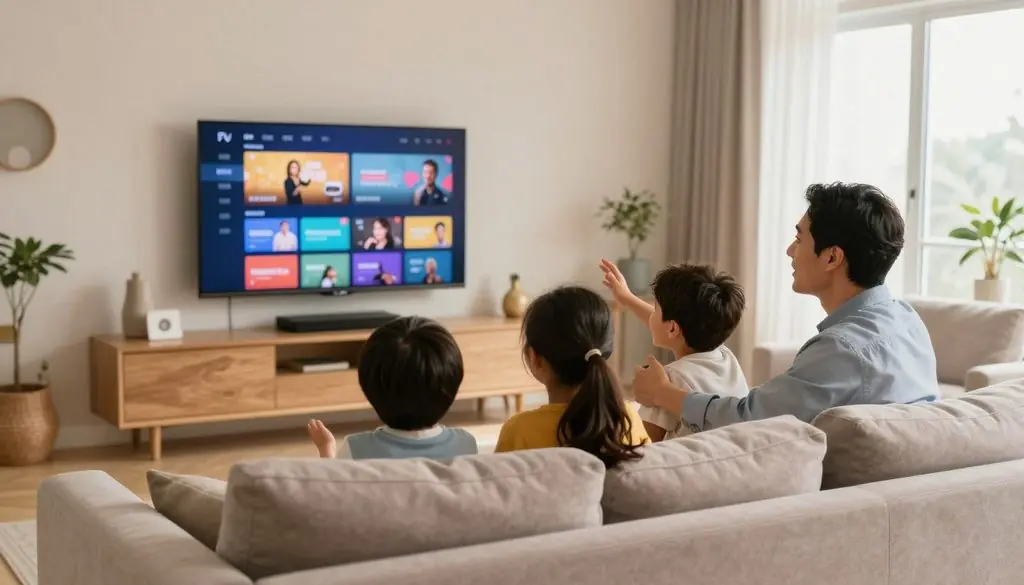
best iptv in usa
Key Takeaways
- Check the exact channels and on-demand titles the household watches.
- Confirm that the provider supports the intended device and player app.
- Compare the full price, payment terms, and refund rules.
- Test a service on the home network and main television.
- Try ProtoIPTV’s 24-hour free trial without a credit card.
What Should Viewers Check Before Choosing an IPTV Service?
The most dependable first filter is whether the provider can confirm the exact channels, devices and payment terms the household needs. A suitable IPTV service must also work with the household’s player and offer clear customer support. Exact details matter more than a broad promise.
A simple checklist can expose gaps before a subscription begins. An IPTV box runs apps that receive internet-delivered streams, while viewers subscribe separately to authorized services. The box and the subscription are separate purchases.
Save the plan’s full payment amount and refund conditions before entering payment details.
Use these five checks to compare each plan:
- Confirm the channels and on-demand titles the household wants.
- Check device, operating system, and player compatibility.
- Compare the full term cost and refund conditions.
- Test how quickly support answers a practical question.
- Confirm whether the plan includes one or several connections.
Many IPTV subscriptions typically cost 12-25 per month, but a longer term can require a larger payment upfront. A low monthly equivalent may hide that total. A separate player app license can also add cost, even when the app download is free.
Support is part of the service, not a small extra. A household can ask how to set up its specific device and note whether the reply is clear, timely, and useful. The quality of that response offers a practical preview of customer help after payment.
Terms should state how many simultaneous streams the plan allows. Installing an app on several devices does not mean they can all play at once. A 2026 comparison found that most providers offered a 7- to 30-day money-back guarantee, but the rules differ by plan.
Some plans charge for monthly access, while others require payment for several months at once. A viewer should compare the amount charged today, not just the advertised monthly equivalent. Keep the full payment amount and refund conditions available before paying.
Best IPTV in USA: Which Service Fits Each Viewer?
For a first-time viewer who wants to test before paying, ProtoIPTV is the clearest starting point because its 24-hour trial does not require a credit card. A no-card trial lowers the barrier to checking basic fit. The best IPTV service still depends on the channels, device, and home connection a viewer uses.
The best IPTV streaming options are those that work for a viewer’s content, device, and connection, not those with the biggest advertised count. A service USA viewers can assess at home may be more useful than a large catalog that does not include their local channels. A trial is a test, not a guarantee of quality.
A practical shortlist for first-time viewers
ProtoIPTV is a straightforward first test for a viewer who wants to try access without entering card details. Parivaar IPTV may suit households looking for Indian channels. KenoaTV is another provider with a trial option, but that alone does not show how well it will perform.
The trial terms shown for these providers give viewers a starting point for questions. Card requirements can differ, so the table marks unknown details for confirmation rather than assuming they are the same.
| Provider | Trial length | Card required | Useful next check |
| ProtoIPTV | 24 hours | No | Test favorite channels |
| Parivaar IPTV | 24 hours | Confirm with provider | Check language lineup |
| KenoaTV | 24 hours | Confirm with provider | Ask about device limits |
How to judge a provider’s claims
A large channel total does not show whether the specific local station or event a household wants is available. A viewer should look for the exact feed and test it on the intended screen. The best IPTV choice is the one that meets those daily needs.
There is no evidence-based basis here to name a single best IPTV provider worldwide. Rights, supported devices, payment terms, and trial access can change what works for each household. “Best IPTV” is a useful label only when the service matches a viewer’s actual setup.
Marketing claims about channel counts or uptime do not prove reliable playback. A viewer can compare the live channels they use most and see whether the guide names them correctly. Treat a channel count or uptime promise as a claim to test during the trial.
What Does the ProtoIPTV Free Trial Let Viewers Test?
ProtoIPTV’s free trial lasts 24 hours in 2026 and does not require a credit card. That short window lets a viewer check whether the service fits a real household setup. It is trial access, not a paid IPTV subscription.
The trial is most useful when the household checks familiar channels and the electronic program guide (EPG), which displays program schedules. Viewers can also see whether the player feels simple to use. Test the service on the television and player the household plans to use.
A normal evening can reveal more than a quick glance at a channel list. The viewer can try a favorite show, switch channels, and see whether the guide gives useful schedule details. It also helps to test whether the app responds smoothly with a remote control.
ProtoIPTV’s 24-hour free trial provides a defined period for these checks. A viewer should use enough of that time to test the actual channels watched most often, rather than spending the trial only on setup. The trial can show basic fit, but it does not promise that every show or channel will be available.
Before buying, viewers should confirm whether trial access converts to paid access, renews automatically, or has device limits. Payment rules and renewal dates can affect the real cost. A trial does not replace a review of the subscription terms.
Households can make a short note of which channels loaded and whether the guide matched the program. That record makes a later choice easier, especially when more than one person watches. Start the trial when there is time to test the shows and channels the household watches most.
How Do Other IPTV Free Trials Compare?
Trial offers in this comparison run from 24 hours to 36 hours, with device limits and payment conditions requiring separate confirmation. Time alone does not tell viewers whether an offer is suitable. Each IPTV service sets its own terms.
Parivaar IPTV and KenoaTV offer 24-hour trials in 2026. 360 Live HD IPTV lists a $0 trial lasting 36 hours for one device connection. The longer offer has a stated one-connection limit.
A trial can help a viewer check access, but its length does not prove channel availability, picture quality, or a helpful support response. Terms also differ by provider, and a free offer may have conditions beyond its stated duration.
Before activating a trial, viewers should ask whether it is truly free or requires payment details. They should also check whether the player app needs a paid license. A free service trial and a player’s premium features are separate matters.
Trial length can matter when a household has little time to test the service. Yet 24 hours may be enough for basic checks, while a longer window may still miss the household’s favorite live event. Check the included connections and billing conditions before activating a trial.
Which Live Channels and Sports Features Matter Most?
The most useful live lineup carries the specific local stations, sports, and international channels a household actually watches. Exact feeds matter because a broad category label does not confirm a particular station or event. A viewer should check the named channel, not just the type of content.
Everyday viewing often depends on local news and national entertainment. International channels can matter to households that follow programming from another country. Confirm each station and event by its exact name.
Channel coverage for everyday viewing
A provider may describe a package as having local channels without naming the local station. That label may not confirm the right city feed. Viewers should compare the channel name and the broadcast they expect to see.
Sports listings need the same care. A league logo or event category in an ad does not show that the specific game will appear on the correct feed. The viewer should check a desired game and its guide listing during a trial.
Sports, EPG and replay features
Sports features can include an electronic program guide (EPG), catch-up access, and pay-per-view (PPV). An EPG is a program schedule, but its data may not cover every channel. Guide details can also vary by player.
Catch-up lets viewers replay eligible past broadcasts, while PPV may provide access to selected events. Those features are separate from the live channel list. A viewer should check whether each one applies to the events and channels they use.
Tashan TV supports a 7-day rewind of live TV in 2026. Its 7-day live-TV rewind is a specific service feature, not a standard feature across IPTV providers. The same replay period should not be assumed for another service.
A sports fan can test a desired game and its guide listing instead of relying on a league logo in an ad. The listing can help show whether the right event and feed appear. Check a favorite live event during the trial because rights and feeds can differ.
What Should Viewers Check in Movies, Series and Catch-Up?
On-demand titles and replayed live broadcasts are separate features, so each needs its own availability check. Video on demand (VOD) means choosing a title to play when wanted. Catch-up lets a viewer replay eligible past broadcasts.
A large movies and series catalogue does not guarantee that a specific title is current or licensed for long. Check named titles and replay access separately. Search results can also vary across apps.
Viewers can test a few specific movies and shows rather than browse only the front page. A search for an exact title shows whether the app can find it. The household can also check subtitle choices and whether search handles partial titles well.
Catch-up depends on the provider, channel, and player. A show may be available for replay on one channel but not another. Viewers should check whether a recent episode stays available after it airs.
Tashan TV’s live-TV rewind feature reaches 7 days in 2026. That example shows how one provider may offer a defined replay period, but it is not a universal IPTV feature. Other services may set different limits or offer none.
Licensing can change the titles a service carries, even when its catalogue headline sounds broad. A program that appears today may not stay available for the full season. Test one recently aired program and one specific movie, not just the catalogue headline.
How Does IPTV Setup Work on Common Apps?
Setup usually means installing a compatible player and entering the access details supplied for the chosen subscription. The player app handles the login and stream display, but does not supply channels. An M3U playlist is a text-based list of stream addresses that a compatible player can load.
Some providers supply an M3U URL, while others offer Xtream Codes login details. Apps such as TiviMate, IPTV Smarters Pro, IBO Player, and GSE Smart IPTV are examples, not guaranteed matches for every provider. Use the login type the provider supports.
Entering a playlist or login
The basic setup follows five steps:
- Choose a player app that works with the device.
- Request the correct login details from the provider.
- Enter the M3U URL or Xtream Codes credentials.
- Let the app load channels and the EPG.
- Test live and on-demand playback.
The setup screen may ask for a playlist URL, username, password, or server address. A viewer should enter only the details sent for that subscription. Similar login methods do not mean that one provider’s credentials work in another app.
Getting the EPG and playback ready
After login, the player may take time to load channel names and program schedules. Guide data can appear slowly or be missing for some channels. Viewers can check a familiar program time to see whether the EPG is useful.
An app may be free to download but charge for activation or premium features. Those app fees are separate from an IPTV subscription. The player does not include channels or grant rights to content.
Some players offer features such as favorites, recording, or guide layouts, but a provider may not support every feature. Keep the login message private and follow the provider’s setup steps for the exact device.
How Much Does an IPTV Subscription Cost?
IPTV subscription plans typically fall around 12-25 per month, while longer terms change the upfront total. The term length can shift what a household pays today. Connections and add-ons can also affect a plan’s total price.
360 Live HD IPTV lists a one-month plan at $11, three months at $30, six months at $56, one year at $90, and two years at $165. These are that provider’s listed prices, not a market-wide rate. Compare the full amount due, not only the monthly equivalent.
The typical $12-$25 monthly range gives viewers a general cost frame, but actual prices depend on the plan and term. A lower monthly average can require a larger upfront payment. Extra connections or add-ons may raise the total.
Many providers in a 2026 comparison offered a 7- to 30-day money-back guarantee. That range does not make refunds a universal right. Each service can set conditions, such as the request window or limits on use.
A viewer should read the plan’s refund rules before paying. The terms should make clear what triggers a refund and how to request one. A short promise on a sales page may not explain every condition.
Long commitments can make a monthly figure look lower while leaving more money at risk upfront. A shorter plan may cost more per month but limit the initial commitment. Compare the total due today and the exact refund terms.
How Can Viewers Test a Free Trial Properly?
A useful trial checks the intended device, app, and home connection, not just whether a login works. Real use matters because a phone on cellular data may perform differently from a living-room TV on Wi-Fi. A quick login test cannot show every issue.
ProtoIPTV and Parivaar IPTV offer 24-hour trials, giving viewers a limited window to check fit. Use the same screen and network planned for regular viewing. A short trial may not line up with a live event the household wants to test.
Use four practical checks during the trial:
- Try the household’s favorite channels.
- Test the program guide and search.
- Play both live and on-demand content.
- Ask support a practical setup question.
Testing the guide can reveal whether channel names and program times make sense. Search can show how easily the app finds a title. Playing both kinds of content gives a broader picture than opening a single live channel.
A trial on a phone using cellular data does not prove that a television will work the same way over home Wi-Fi. The larger screen, home network, and remote-based app can change the experience. A viewer should use the intended setup whenever possible.
Support can be tested with a real setup question, such as which login method the provider supports. The clarity of the answer matters alongside playback. Test during the household’s usual viewing hours so the result reflects real use.
What Internet Speed and Connection Help Reduce Buffering?
A stable connection matters as much as the speed shown by a single test. Home network conditions can affect streaming quality even when a speed test looks strong. Other devices may use bandwidth at the same time.
Tashan TV states a minimum of 10 Mbps for smooth streaming. For sustained streams above 20 Mbps, Ethernet is generally more stable than Wi-Fi. Test the connection during the hours the household actually watches.
Evening viewing can bring more competition from phones, game consoles, and computers on the same network. A single test earlier in the day may miss that load. Upload speed and ping, the delay before a response, can also matter.
These four checks can help narrow down a buffering problem:
- Test internet speed during peak household hours.
- Check upload speed and ping, not only download speed.
- Move closer to the router or use a cable.
- Replay the same title on the same device.
Upload speeds below 15 Mbps or ping above 40 ms can contribute to buffering. A different box will not fix every network issue. The problem may come from Wi-Fi congestion or the home connection instead.
If one channel buffers, repeat the test with the same device and title after changing only one network condition. That makes the result easier to read. Repeat the speed test when buffering occurs before buying a new box.
Which Device and Operating System Suit an IPTV App?
The best device family depends on whether the viewer values app choice or a dedicated, simpler TV interface. Android TV and Google TV offer wider app flexibility. Linux-based receivers focus on a more limited set of TV functions.
Smart TVs can run IPTV apps when the model and operating system support them. App availability may differ between models, even from the same brand. Check the exact model before choosing a service.
Android TV and Google TV
Android TV and Google TV make it easier to use a range of apps. That flexibility helps viewers who want to try different players or other streaming services. The available apps still depend on the device and its software.
Fire OS is another option for a streaming stick. It supports 4K decoding and Alexa integration, but sideloading apps requires developer mode. Fire OS also lacks Google Play Services, which can limit app choices.
Fire OS and Linux receivers
Linux-based MAG or Formuler receivers offer a more focused TV and EPG experience, with fewer app choices. They may suit viewers who want a dedicated interface rather than a general-purpose streaming device. Their features depend on the receiver and service.
App support is not the only issue. A service may support one operating system but not a specific model or player version. A smart TV’s age can also affect which apps remain available.
A viewer who wants broad app choice may prefer Android or Google TV, while a simple receiver may suit a fixed setup. Confirm the provider’s supported app on the exact device model before buying hardware.
Which IPTV Streaming Device Is Best in 2026?
For most households wanting a flexible 4K streaming device, the onn. Google TV 4K Pro is the strongest value-oriented starting point in this group. Its mix of features suits common streaming needs. The best IPTV box still depends on the provider’s player support.
The onn. Google TV 4K device is a lower-cost choice, while the NVIDIA Shield TV Pro targets viewers who want stronger processing and AI upscaling. The device and service must work together.
Budget streaming devices for most households
The onn. Google TV 4K Pro costs $59.88 and supports 4K HDR, Dolby Vision, and Dolby Atmos in 2026. The onn. Google TV 4K Streaming Device (2026) costs $29.88. Both offer a Google TV platform.
The Xiaomi TV Box S (3rd Gen) costs $62 and uses an Amlogic S905X5M processor. Google TV Streamer 4K starts at $99, with 4K HDR, Dolby Vision, and Dolby Atmos. Amazon Fire TV Stick devices start at $20, with 1080p and 4K HDR versions.
| Device | Listed price | System or standout features | Best fit |
| onn. Google TV 4K Pro | $59.88 | 4K HDR, Dolby Vision, Dolby Atmos | Flexible everyday streaming |
| onn. Google TV 4K Streaming Device (2026) | $29.88 | Google TV, 4K | Tight budgets |
| Xiaomi TV Box S (3rd Gen) | $62 | Amlogic S905X5M | Compact Android TV setup |
| NVIDIA Shield TV Pro | $199 | AI upscaling, Widevine L1 | Premium processing |
| Formuler Z12 Ultra | 129-149 | 4GB RAM, 128GB storage, Wi-Fi 6, Gigabit Ethernet | Dedicated receiver features |
Premium and dedicated receiver options
The NVIDIA Shield TV Pro costs $199, while the NVIDIA Shield TV costs $149. The Pro model includes AI upscaling and Widevine L1. Google TV Streamer 4K is another step-up option for viewers who want 4K format support.
Formuler Z12 Ultra costs 129-149 and includes 4GB of RAM, 128GB of storage, Wi-Fi 6, Gigabit Ethernet, and MyTV Online 3. It is a dedicated receiver option with more memory and network features than a basic stick.
A quad-core Cortex-A73 processor or better and 2GB RAM are recommended for most IPTV apps. Four gigabytes of RAM can help when several background services run, such as a VPN, PVR, and EPG sync. “Best IPTV box in 2026” does not mean “best IPTV service.”
A viewer should match the player and subscription to the chosen hardware, rather than assume every provider supports every box. Device prices and software support can change. Check current software support and the provider’s compatible player before ordering.
What Do IPTV Boxes Cost in the USA?
The listed dedicated box prices in this set range from $119.99 to $179.99, with models differing in operating system and hardware. Price alone does not show which device best fits a household. Some receivers use Android, while others use Linux.
Tashan TV lists four dedicated models with prices between $119.99 and $179.99. Its set-top boxes include a one-year hardware warranty in 2026. Compare the operating system, warranty, and service support together.
| Model | System | Listed price | Useful specification |
| MAG555 | Android | $179.99 | Dedicated set-top box |
| MAG544-w3 | Linux | $149.99 | Amlogic S905X2, ARM Cortex-A53 |
| MAG540-W3 | Linux | $119.99 | Amlogic S905X2, ARM Cortex-A53 |
| UNIPRO | Android | $129.99 | 2GB RAM, 32GB internal storage |
The MAG540-W3 is a Linux receiver with native multicast support. That feature may suit a viewer whose network and service use multicast streams. Android boxes can offer a wider choice of apps, depending on their software.
A dedicated receiver can fit a household that wants a focused TV interface or multicast support. A general streaming device may offer more app choices for other services. The extra flexibility can matter more than a small difference in listed price.
A one-year hardware warranty can help with defects, but it does not replace service support or content access. The box and subscription remain separate parts of the setup. Compare the warranty and supported service before treating a lower sticker price as the lower total cost.
Which IPTV Box Works Best for Indian Channels?
Indian-channel viewers should start by matching the device to the player and language lineup they plan to use. An Android box is a flexible choice when a household needs apps from Google Play. MAG or UNIPRO receivers can suit a more dedicated setup.
Smart-TV apps may avoid buying another box when the television supports the needed player. The best IPTV box for Indian channels is the compatible Android box for app choice, or a MAG or UNIPRO receiver when the service supports it.
Android boxes and smart-TV apps
Android boxes can run apps from Google Play, which gives viewers more choice among compatible players. That can help when a household uses different services or prefers a certain app. The chosen service still needs to support the app and device.
Viewers should check language categories such as Hindi, Punjabi, Tamil, Telugu, Malayalam, Kannada, Bengali, and Gujarati. Those labels do not promise that every requested regional channel will be available. A provider may carry some languages but not the exact station a family wants.
MAG and UNIPRO receivers
MAG and UNIPRO boxes are alternatives for viewers who want a dedicated receiver. They may offer a simpler interface, but their app choices can be narrower than Android. The service must support the receiver’s software and login method.
A smart-TV app can keep the setup simple if the television has a compatible player. Older models may have fewer app choices, so a separate device can still be useful. The remote and menu layout also affect day-to-day use.
Language labels can cover broad regions, while families may need a specific local or regional station. A channel name should match the actual feed, not just the language category. Verify the exact regional channels and language options on the intended screen before paying for a longer subscription.
Is a Fully Loaded IPTV Box Safe and Legal?
An IPTV box is a hardware device, while legality depends on whether the service has authorization to distribute its content. The hardware itself is not inherently illegal. A box or IPTV service becomes a concern when it enables unauthorized access to content.
Preloaded “fully loaded” boxes can use apps that violate software licenses, lack security updates, or work unreliably. Use authorized services and legitimate player apps. A box’s appearance does not prove that its content is licensed.
Copyright and authorized services
A federal court entered a permanent injunction and awarded $1.25 million in damages in a DISH Network and Sling TV case involving sellers of unauthorized streaming services accessed through vSeeBox and similar devices. The case targeted resellers and distributors, not end users.
That case illustrates why the seller and the content service matter. It does not mean that every IPTV device or IPTV service is unlawful. Legal access depends on the rights behind the channels and shows being distributed.
Security and software update risks
A teardown of a vSeeBox found an Allwinner H618 chipset, compared with budget Android boxes retailing for roughly $40. That hardware detail does not prove that every similar device is unlawful. It does show why buyers should look beyond a box’s preloaded claims.
These four steps help reduce common risks:
- Identify the service and the rights holder.
- Avoid unknown apps preloaded on a box.
- Install software updates from the device maker.
- Use a legitimate player with authorized services.
Unknown apps can request broad access or stop receiving updates. A box that promises paid channels without clear licensing may also rely on unstable software. Security and legal concerns can overlap, but they are not the same issue.
Avoid preloaded boxes that promise access to paid channels without clear licensing or update support.
A safer setup uses a known device maker, current software, and services with clear rights. The device can still be IPTV hardware even when its content comes from an authorized provider. A box is not proof of a lawful or unlawful service by itself.
Conclusion
The right choice is the service that works with the household’s channels, devices, and connection under its real viewing conditions. Actual playback matters more than a long advertised list. Viewers should match the service to their daily needs.
Two points matter most: confirm that the service supports the channels and devices the household uses, and test playback before paying for a longer term. A free trial can help reveal whether the setup works during normal viewing hours. Review the terms before making a purchase.
ProtoIPTV offers a 24-hour free trial as a practical first step. Test the channels and device that matter most, then decide whether the paid subscription fits. Start with ProtoIPTV’s 24-hour free trial, test the channels and device that matter most, then decide whether a paid subscription fits.
FAQ
Can an IPTV subscription play on more than one TV at a time?
Yes, but only when the plan allows enough simultaneous connections. Installing the player app on several televisions does not automatically permit several streams. A plan may allow one connection even when the login works on multiple devices. Viewers should check the connection limit and make sure it covers the number of screens used at once.
Does an IPTV player app include the channels?
No, an IPTV player app does not provide channels. The app handles login details and displays streams, while a separate subscription provides access to authorized content. A free app download may also have paid features or an activation fee. Viewers should confirm the player works with their provider before paying for an app license.
Do viewers need a VPN for IPTV?
No, a VPN is not a substitute for content rights or a reliable internet connection. A VPN can change how network traffic travels, but it cannot make unauthorized content lawful. It may also affect playback or login access. Viewers should check local rules and ask whether the chosen provider supports VPN use.
Why does IPTV buffer even when a speed test looks fast?
Wi-Fi congestion, peak-hour network load, ping, upload capacity, and home router limits can cause buffering despite a strong download result. A speed test shows one moment and may not reflect performance while other devices are active. Testing near the time of the problem and replaying the same title can help isolate the cause.
Can IPTV work on Roku?
Yes, but app support and login methods vary by Roku model and service. Viewers should confirm that a compatible player is available or that a supported casting method works with their exact device. A phone app that can cast does not guarantee every channel will display correctly. Check the setup before paying for a subscription.
How can viewers check whether a provider carries a local channel?
Ask for the exact station name, then test its live feed and EPG listing during a trial. Broad labels such as “local channels” or a regional market do not confirm that a specific station feed is included. Checking the station’s name and familiar program schedule can show whether the right feed appears on the intended device.
Leave a Reply