
IPTV is television delivered over an internet connection, giving viewers live channels and on-demand programs on compatible screens. Unlike cable or satellite TV, it sends video through internet networks. A viewer can watch on a smart TV, phone, tablet, computer, or streaming device.
Choosing a service means looking beyond its channel count. Viewers can compare its features, test a trial, and pick a player that works with their device. Providers do not all offer the same content, access, or support.
A good choice also depends on how the household watches. One viewer may want live sports, while another may care more about shows available on demand. A suitable setup depends on the channels, connection, and devices a viewer actually uses.
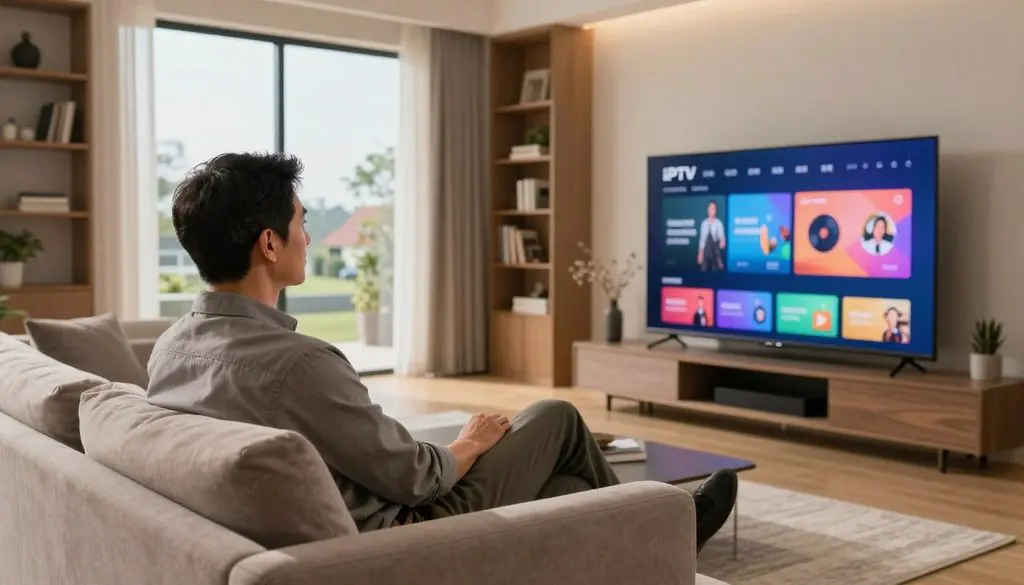
What Is IPTV
Key Takeaways
- IPTV carries television over an internet connection.
- Services differ in channels, rights, and features.
- A player does not supply channels by itself.
- Check device support before choosing a subscription.
- Test important live programs during a trial.
What Is IPTV and How Does It Work?
IPTV moves television as data across an IP network, rather than sending it through a cable line or satellite signal. Internet protocol television uses the internet protocol, a set of rules for moving data between devices. The exact route depends on the service.
Some services use a managed network, while others send video over the open internet. The word IPTV alone does not tell viewers how a service manages delivery.
An IP network describes the route, not the provider’s rights to every program.
From content source to viewer screen
A service gathers programs from content owners or other approved sources. It then prepares the video for delivery, often by encoding and compressing it into smaller data streams.
Common video formats include H.264 and H.265. The service may use HLS or DASH to send video in parts that a player can request as needed.
For live channels, a service may use multicast to send one stream to many viewers on a managed network. On-demand video often uses unicast, which sends a separate stream to each viewer.
The viewer’s device receives the stream and decodes it into pictures and sound. An electronic program guide (EPG) is an on-screen schedule that shows channel listings and what is airing now and next.
IPTV, OTT streaming, and traditional TV
IPTV technology, OTT streaming, and traditional TV can all bring video into a home, but their networks and access differ. Netflix is an example of an OTT service, which sends video over the open internet through an app.
Managed-network IPTV and open-internet OTT streaming are related, but they are not the same service model. Not every service marketed as IPTV uses a managed network.
| Service type | Delivery network | Typical content | Viewer access |
| IPTV | Managed IP or open internet | Live channels and on-demand video | Service account and compatible player |
| OTT streaming | Open internet | On-demand shows and films | App and service account |
| Cable or satellite TV | Cable network or satellite signal | Live channels and scheduled programs | Provider equipment and subscription |
The practical distinction is whether a viewer gets a managed television service or an app using the open internet.
What Types of IPTV Content Can Viewers Watch?
IPTV can combine real-time channels with programs viewers choose to start later. Those viewing models include live TV, video on demand, catch-up programs, and pay-per-view events.
The available television content depends on the provider’s licensed catalog. One service may carry news and sports, while another may focus on entertainment or films.
Live channels and scheduled broadcasts
Live channels show programs as they air, much like scheduled television on cable or satellite. IPTV channels can include news, sports, and entertainment, but no lineup is guaranteed across providers.
Near video on demand (NVOD) offers the same program at staggered start times. A viewer can choose the next showing instead of waiting for one fixed broadcast time.
This model can suit films or special events that run on a schedule. It differs from a full on-demand library, where viewers choose a start time themselves.
On-demand, catch-up, and pay-per-view
Video on demand (VOD) lets viewers choose a title from a catalog and start it when they want. The catalog may include films, series, or earlier programs.
Catch-up TV makes recently aired programs available for a limited time. Catch-up libraries commonly keep shows for 24-72 hours, though each service sets its own window.
Transactional video on demand (TVOD) charges for a specific title or event, rather than giving access through a general library. Pay-per-view events often use this model.
Rights can limit which programs a service offers and how long they remain available. Viewers should check whether the content model they want is actually included in a provider’s lineup.
What Does a Viewer Need to Use IPTV?
A viewer generally needs a reliable internet connection, a compatible screen or streaming device, and access to a legitimate service. The right combination depends on the household’s equipment and viewing habits.
An IPTV app is playback software, not a channel source. It organizes a compatible service’s streams and listings, while the service subscription provides access to the content.
A smart TV app can be the simplest choice when the service supports that television. A streaming device or set-top box can help when a TV lacks a supported app or has an older interface.
Other compatible screens include phones, tablets, and computers. IPTV Smarters, TiviMate, and other compatible IPTV players can work with supported services on Firestick and Android TV.
A stable connection matters because video streams need steady data delivery. One Firestick installation guide recommends at least 25 Mbps for IPTV streaming, though household conditions can affect playback.
Wi-Fi signal strength can fall when a device sits far from the router or behind walls. Video calls, downloads, and other streams can also compete for the home connection.
Before choosing an app, viewers should confirm that the service supports it and that the device can run it. Confirm device compatibility before paying for a subscription.
How Much Is IPTV?
The listed ProtoIPTV plans range from $17/month for month-to-month access to $100/year for an annual plan. The billing period changes how a viewer pays and compares costs.
ProtoIPTV lists multi-screen plans at 30-50/month. Single-connection options are also listed, but no price is assigned to them here.
| Plan type | Listed price | Billing period |
| Month-to-month | $17/month | Monthly |
| Annual | $100/year | Annual |
| Multi-screen | 30-50/month | Monthly |
The total cost depends on the selected plan and how many connections it allows. A low monthly price may not fit a household that needs several screens at once.
Some plans charge by the month, while others bill for a full year. Viewers should read the current checkout terms and note when payment is due.
Channel access and screen limits matter as much as the headline price. Compare the billing period and screen limit, not just the headline price.
How Should Viewers Evaluate a Free IPTV Trial?
A useful free IPTV trial is long enough to test the channels, devices, and viewing times that matter to the household. A hands-on test can reveal issues a channel list cannot.
Free IPTV trials typically last from a few hours to several days. Use that time to test real viewing, not just the sign-in screen.
- Confirm the trial’s start time and end time.
- Test the channels and programs the household watches.
- Check playback during the hours it will normally be used.
- Read cancellation or conversion terms before entering payment details.
A short test can still show whether key programs load on the household’s main device. Test a second screen only if the plan allows it.
U.S. viewers who rely on local coverage should check NBC, CBS, ABC, and FOX availability in their area. A channel’s name alone does not confirm local news or regional sports access.
Trial terms can vary, so viewers should note whether the trial ends on its own or converts to paid access. Test at least one important live program before deciding whether the service is dependable enough for that household.
Is IPTV Legal and Safe in the United States?
IPTV is legal technology, but a provider needs the rights to distribute the content it sells. Licensing matters because a stream’s delivery method does not grant permission to show a program.
In the United States, the provider’s rights determine whether its channel and video distribution is authorized. Viewers can use a few practical checks before sharing payment details.
Licensing and provider checks
Recognizable U.S. live-TV service examples include Hulu + Live TV, YouTube TV, Sling TV, Philo, and DirecTV Stream. Each provider has its own lineup, terms, and supported devices.
Before paying for any IPTV service, viewers can check for:
- A clear business presence and working contact details.
- Published terms, privacy details, and channel lineup.
- Standard payment methods with clear billing steps.
- Transparent information about content rights or licensing.
A polished app or large catalog does not prove that a provider has distribution rights. Clear terms help viewers understand what the subscription covers.
Security and consumer risks
Unlicensed services can expose users to malicious third-party apps, payment fraud, sudden shutdowns, and missing customer support. Those risks can affect both account details and viewing access.
Unknown apps may ask for broad device permissions that do not match their playback role. Viewers should be wary of requests for unrelated personal or payment information.
Loss of service can leave a subscriber with no working stream or way to resolve a billing dispute. Treat an unusually large premium lineup at a suspiciously low price as a reason to investigate licensing before paying.
How to Install IPTV on Firestick
Firestick setup starts with a compatible IPTV player and the login information supplied by the service. Service credentials are account details used to connect the player to that service.
Use only a player the service identifies as compatible. Fire TV menu labels can vary by software version, so a setting may appear under a slightly different name.
Prepare Fire TV for a third-party player
Fire TV includes an Apps from Unknown Sources setting used in some third-party installation steps. Downloader is available in the Amazon Store and can fetch an installer file.
Follow the service’s setup notes for the right player and file. A service may support a particular player on Firestick but not on every device it sells.
Install the player and enter service credentials
- Confirm Firestick support and get the service’s login details.
- Open Fire TV Settings and enable Apps from Unknown Sources for the installation.
- Find Downloader in the Amazon Store and install it.
- Use Downloader to install the compatible player from the service’s instructions.
- Open the player and enter an M3U URL or the supplied Xtream Codes API details.
An Xtream Codes API login uses a server URL, username, and password supplied by the IPTV service. An M3U URL is a playlist address that the player uses to load supported streams.
The player may ask for the details in separate fields. Check each entry carefully, since a wrong character can block sign-in or leave the guide empty.
Keep the service URL and credentials private, and do not enter them into an app that the service has not identified as compatible.
What Is the Best IPTV Player for Firestick: ProtoIPTV Picks
IPTV Smarters is the simplest starting pick for a beginner, while TiviMate better suits viewers who want deeper guide and playlist controls. Those picks serve different needs, not different channel rights.
A player displays a compatible service, but it does not provide channels or licensing. The right choice depends on the service’s login method and the features a viewer will use.
| Player | Listed price | Relevant features |
| IPTV Smarters | Free | EPG, favorites, parental controls, recording |
| TiviMate | $9.99 per year or $33.99 lifetime for Premium | M3U, Xtream Codes API, custom EPG, playlists, scheduled recording |
| XCIPTV | Free | TV guide and parental controls |
IPTV Smarters is a practical first pick for viewers who want a free player with an electronic program guide and simple organization. Favorites and parental controls can make a long channel list easier to manage.
TiviMate supports M3U playlists and Xtream Codes API logins. Its customizable guide, multiple playlists, and scheduled recordings suit viewers who want more control.
TiviMate Premium is listed at $9.99 per year or $33.99 for a lifetime subscription. XCIPTV offers a free option with a TV guide and parental controls.
Features can vary by platform and app version. Check that the chosen player supports the service’s login method before installing it.
Which ProtoIPTV Features Should Beginners Check?
Beginners comparing ProtoIPTV features should verify HD or 4K playback, supported devices, and parental controls in the plan they select. Plan details matter because a feature may not apply to every subscription.
Check each feature against both the plan and the device. HD or 4K viewing depends on the stream, the screen, and the connection.
HD can provide a clear picture on many screens, while 4K needs a compatible display and video stream. A 4K label does not mean every channel or program streams at that quality.
Multi-device support can let a subscriber use the service on more than one kind of screen. It does not necessarily mean unlimited simultaneous screens.
Parental controls can help households limit access to certain content. Their exact options may differ by player, device, and service plan.
Modern IPTV services can offer HD and 4K streaming, multi-device support, and parental controls. Treat these as items to confirm, not as a promise that every plan includes them.
Read the plan’s device and screen rules before choosing it. Confirm the number of simultaneous screens and the exact included controls before subscribing.
Is IPTV a Good Fit for Every Viewer?
IPTV can be a good fit for viewers who want live channels and on-demand programs without relying on cable or satellite transmission. That fit depends on the lineup, connection quality, and devices in the home.
IPTV suits households whose internet connection can support their usual viewing. It can combine live television, on-demand content, and access across compatible devices.
A viewer who watches scheduled news and sports may value live channels. Someone who prefers to choose a program later may care more about the on-demand catalog.
Cable or satellite may suit households that prefer broadcast delivery or cannot rely on stable internet. Those options do not depend on the home’s internet connection in the same way.
Streaming can be affected by network conditions, and an older device may not support a chosen player. A strong connection cannot fix a service that lacks the channels a household wants.
IPTV is good for viewers whose service, device, and internet setup match their habits. Choose the delivery method that reliably carries the channels and programs the household watches.
How Can Viewers Fix Common IPTV Playback Problems?
Start playback troubleshooting by checking whether the problem affects one app or the entire internet connection. That first check can separate a network fault from an IPTV service or player issue.
Change one setting at a time so the cause stays clear. Buffering, missing listings, and failed sign-ins can come from different parts of the setup.
- Check whether other apps can stream on the same connection.
- Restart the player and the device.
- Verify the service login, playlist, and EPG settings.
- Confirm the device and app version are supported.
Amazon Firestick, Fire TV, Android TV, and Google TV are common compatible platforms. Support still depends on the selected player and the service’s device rules.
Repeatedly changing a password cannot fix a stream outage on the provider’s server.
If other apps work but the IPTV player cannot sign in, check for a typo in the account details. Missing guide listings may point to a playlist or EPG setting instead.
IPTV Smarters, TiviMate, and XCIPTV are player options, but each service supports specific apps and versions. Ask the service’s support team about account or server-side faults rather than repeatedly changing credentials.
If other apps work but the IPTV stream still fails, ask the service to confirm the account and stream status.
Conclusion
A strong IPTV choice starts with a legitimate lineup and a setup that works reliably on the household’s devices. A good match also has clear terms and enough screen access for the people who will use it.
Before paying, viewers can test the connection and the programs they care about. A service that works on one screen may still have limits on other devices or simultaneous streams.
Read the billing period and screen rules before choosing a plan. Before subscribing, test the connection and channel lineup during a trial, then confirm the plan’s billing and screen limits.
FAQ
Is IPTV a legal streaming service?
IPTV technology is legal, but a specific service needs rights to distribute its channels and video. A provider’s app or subscription label does not prove those rights. Viewers should look for clear business details, published terms, and information about the content it offers. Consequences tied to unauthorized distribution depend on the case and location.
Does IPTV include Netflix?
No, IPTV does not automatically include Netflix. Netflix is a separate OTT streaming service that delivers video through its own app and account. A television provider could bundle access only if it clearly says so in its offer. Viewers should check whether the subscription covers Netflix itself or simply works on a device that can run the Netflix app.
What are the downsides of IPTV?
IPTV can suffer from buffering, outages, or missing channels when the connection, device, or service has problems. A player may also fail if it does not support the service’s login method. Unlicensed apps can pose security risks, including malicious software and payment fraud. Viewers should weigh those risks against the lineup and device access they need.
Is IPTV worth having?
IPTV can be worth having for viewers who want live channels and on-demand access in one service. The lineup needs to include the programs the household watches, and the connection must support steady playback. A plan also needs to fit the household’s screen needs and budget. If those pieces do not match, cable, satellite, or separate streaming apps may fit better.
How much is IPTV per month?
ProtoIPTV lists month-to-month access at $17 per month and multi-screen plans at 30-50 per month. Its annual plan is listed at $100 per year, so its cost does not bill monthly. The connection count and billing period affect which option fits a household. Viewers should read the payment terms and screen limits before choosing a plan.
Can IPTV be tracked?
Yes, a provider can generally connect account activity with a subscriber account and internet connection. The details it can see depend on its service and records. A VPN may change the network address visible to a service, but it does not grant rights to unlicensed streams. It also does not replace a provider’s account and payment records.
Which IPTV companies are legal in the USA?
Hulu + Live TV, YouTube TV, Sling TV, Philo, and DirecTV Stream are recognizable U.S. live-TV service examples. A company’s name alone does not confirm that a certain channel or program is included. Lineups and terms can change, and rights vary by content. Viewers should read the current service terms and channel list before signing up.
What is the punishment for illegal streaming?
Consequences vary by jurisdiction and circumstances, so there is no single fine or sentence for every case. A service operator distributing content without rights may face different risks from a viewer who watches it. The rules can also depend on the content and how it was shared. Viewers should avoid unauthorized services and seek legal advice for a specific case.
Leave a Reply