
ProtoIPTV is a clear starting point for viewers who want to test an IPTV service before choosing a subscription. Its site offers a defined trial, while other providers list different access terms. The IPTV player is an app that plays streams from a compatible service but does not supply channels by itself.
For a U.S. household, the right choice depends on its usual channels, viewing habits, devices and internet connection. A trial can show whether streaming quality holds up during peak hours, not just during a quiet afternoon. The 2026 encoder box picks discussed here are playback devices, more accurately called IPTV set-top boxes.
This review compares trial access, practical setup, device fit and the checks that matter before payment. A useful trial is one tested on the household’s own device and at its usual viewing times.
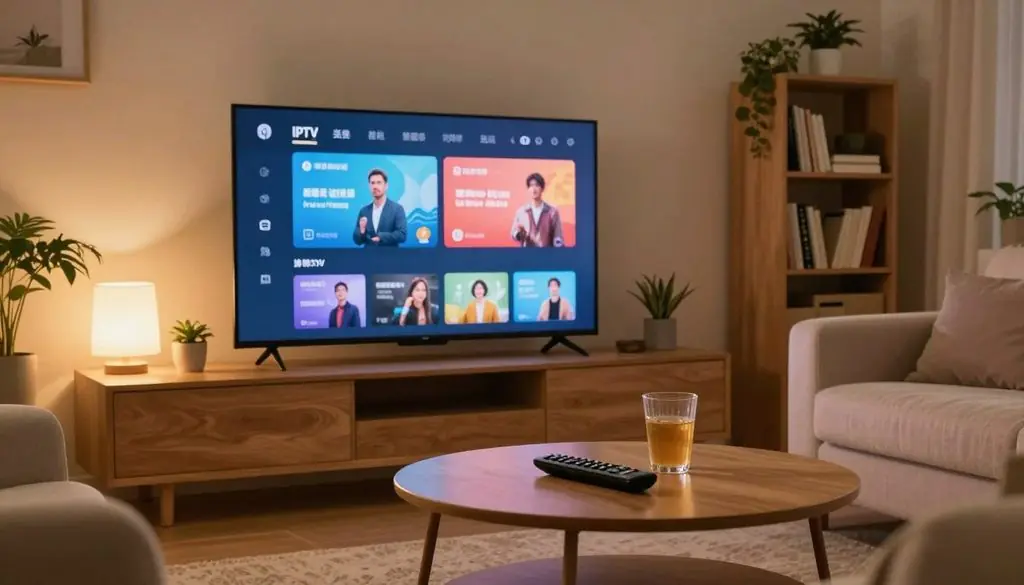
iptv providers with free trials
Key Takeaways
- ProtoIPTV lists a 24-hour trial with no credit card required.
- Trial terms and access differ among named IPTV services.
- A playback app needs service credentials or a playlist.
- Test must-watch programs on the intended television or device.
- Check content rights and payment terms before subscribing.
What IPTV Means and How It Works
IPTV delivers television programming through an internet connection rather than through a traditional cable or satellite signal. The internet connection carries the stream to a television, phone, tablet or other supported device.
An IPTV service supplies access to the programming, while an IPTV player handles playback. The service and player are separate products. A viewer may need a paid plan, trial credentials or a playlist from the service before an app can play anything.
An IPTV player does not provide channels by itself; it needs access from a compatible IPTV service.
Live channels follow a schedule, much like broadcast television. Video on demand, often called VOD, lets viewers choose movies or shows from a library.
TiviMate and IPTV Smarters Pro are examples of IPTV players, not channel providers. Their menus can organize compatible streams, but neither app creates the programming or grants viewing rights.
Some services send login details, while others provide a playlist for the player to load. The exact format depends on the service and the supported app.
That distinction matters when someone advertises an IPTV service free or promotes an app as a source of full access. The app is only one part of the setup. Before entering login details, a viewer should know which company supplies the service and which app only plays it.
What Can a Free Trial Tell You?
A trial is useful when it answers whether the channels, picture and playback work in the viewer’s actual setup. Real playback says more than a large catalog claim.
A free IPTV trial can reveal channel availability, stream resolution, loading speed, buffering and device fit. An advertised channel count does not confirm that preferred programming is available. A viewer can check these four things:
- Confirm that wanted live channels and on-demand titles appear.
- Compare picture resolution and how quickly channels load.
- Watch for buffering, stalled playback or failed streams.
- Check that the service works on the intended device.
SD, HD and 4K are useful resolution labels to compare. A stream marked 4K may still look poor if the connection or device struggles, so the picture itself matters.
Test both live channels and on-demand content, since one may work while the other fails. A movie title can appear in a menu but still refuse to start.
A useful trial also gives the viewer a chance to contact customer support with a real question. A channel that appears in a list but will not play is not a useful reason to subscribe.
IPTV Providers With Free Trials: How the Offers Compare
The clearest defined offers here are ProtoIPTV’s 24-hour trial, Lux IPTV’s 1-day trial and Boss IPTV’s 24-hour trial. The stated terms make these offers easier to compare.
Compare the exact service name, trial length and access terms. ProtoIPTV lists a 24-hour free trial without a credit card. Lux IPTV offers a free 1-day trial with package channels, movies and series.
Boss IPTV describes a free 24-hour trial without a credit card. It says the trial includes 15,000+ live channels and over 500,000 VOD movies and shows.
| Provider | Trial duration | Payment details | Stated access |
| ProtoIPTV | 24 hours | No credit card | Service trial |
| Lux IPTV | 1 day | No payment details | Channels, movies and series |
| Boss IPTV | 24 hours | No credit card | 15,000+ live channels; 500,000+ VOD titles |
| Proto IPTV | Not stated here | No credit card | Free trial |
| Sphere IPTV | Not stated here | No credit card | Free trial |
Proto IPTV and ProtoIPTV are distinct named services, despite their similar names. The comparison includes Proto IPTV’s free-trial offer, but its duration is not stated here.
Lux IPTV says its trial requires no payment details and includes channels, movies and features. That wording differs from a trial described only as general service access.
The best comparison is based on access and terms a viewer can confirm, not the largest advertised library. Confirm that the trial terms match the exact service name before submitting a request.
How Do You Request and Start a Trial?
A trial usually starts with a provider request, followed by login details or a playlist entered in a compatible app. The request route depends on the service.
Quick delivery of login details does not prove reliable playback. Boss IPTV describes instant email delivery after its request form, while Lux IPTV accepts an email form or support-email request.
- Choose the exact provider and read its trial conditions.
- Submit the required form or use the listed contact route.
- Check email for login details or a playlist.
- Enter the details in a compatible IPTV player and confirm playback.
A service free trial may arrive as login details, a playlist or another supported access format. The player must accept the format the service provides.
Some providers send access by email, while others may ask the viewer to contact customer support. Check spam and junk folders if the expected message does not arrive.
For a fast IPTV free trial, instant delivery can reduce waiting but cannot show how streams will perform. Keep the request confirmation and expiry details available until the trial ends.
How Long Should a Trial Last for a Fair Test?
A 3-day trial is 72 hours, while a 5-day trial is 120 hours. Those lengths are exact when the provider counts full days.
A 5-day free IPTV trial without a credit card is a specific offer to confirm, not a standard term. A longer window can help when work or family plans limit viewing time.
Trial access may end before the next planned viewing session if the clock starts at activation. A stated number of days does not always explain the exact cutoff time.
Check whether the trial begins when the request is approved, when credentials arrive or when the first stream plays. The start point affects how much viewing time remains.
Also check whether access ends automatically or requires a separate cancellation step. These details can affect a viewer who wants to avoid an unexpected paid plan.
Confirm the expiry time in the provider’s own terms before planning a longer test.
What Should You Test During the Trial?
The most revealing test is to play the household’s must-watch programs, not simply browse the channel list. Specific viewing reveals gaps a catalog screen can hide.
A single successful play does not establish consistent service quality. Test the same kinds of content the household expects to watch regularly.
Check channels and on-demand playback
Try the exact live channels and programs that matter to the household. Change channels several times, since slow switching can affect the viewing experience.
Start the movies and shows the household is likely to choose. Check whether titles begin, resume and play for more than a few minutes.
A ProtoIPTV setup guide recommends testing key channels and programs during the trial. It also recommends checking playback at the household’s usual viewing times.
Test reliability on the household’s schedule
Use this short routine to compare normal use with a busier period:
- Test during a regular weekday viewing period.
- Test during the household’s usual busy viewing time.
- Try more than one channel and content type.
- Note stalls, buffering and failed starts.
Record when a stream stalls and what was playing. A live stream may fail while an on-demand show works, or the reverse.
Repeated attempts matter more than one lucky start. Record which content failed and the time it failed so the result reflects actual use.
What Internet Speed Supports HD and 4K Streaming?
The published recommendations range from 15 Mbps for Proto IPTV HD to 50 Mbps or higher for Boss IPTV 4K. These are provider guidelines, not guarantees.
Boss IPTV recommends at least 10 Mbps for SD. Its HD recommendation is at least 25 Mbps, while its 4K recommendation is 50 Mbps or higher.
| Provider | HD recommendation | 4K recommendation |
| Boss IPTV | At least 25 Mbps | 50 Mbps or higher |
| Proto IPTV | At least 15 Mbps | At least 30 Mbps |
| Lux IPTV | At least 30 Mbps | At least 30 Mbps |
Proto IPTV recommends at least 15 Mbps for HD and at least 30 Mbps for 4K. Lux IPTV recommends at least 30 Mbps for HD and 4K viewing.
These numbers are not a promise of smooth streaming. Wi-Fi conditions, other household traffic and device performance can all affect playback.
A speed test taken beside the router may not match the signal at a television in another room. Other devices using the same connection can also change results during peak hours.
Compare a speed test taken where the streaming device is used with the resolution the household actually plans to watch.
Which Devices and Apps Can Play IPTV?
Device compatibility depends on both the IPTV service and the player that handles its stream. Both sides must fit before a viewer can start watching.
A smart TV IPTV free trial works only when the service and player support that TV platform. Smart TVs do not all run the same apps.
Compatible devices for ProtoIPTV
ProtoIPTV lists Android TV boxes, Android phones, Android tablets, Amazon Fire Sticks and Nvidia Shields as compatible devices. That list helps narrow the choices, but a specific model and app still matter.
A television’s brand name alone does not confirm that it can run a certain IPTV player. Check the exact TV platform and app availability before requesting credentials.
Choosing a playback app
ProtoIPTV recommends TiviMate and IPTV Smarters Pro for setup. IPTV Smarters and TiviMate can work with supported services on Firestick and Android TV.
An IPTV player organizes and plays streams after the service supplies access. The app needs service credentials or a playlist, and it does not provide channels by itself.
A viewer may also use a phone or tablet to check an account before relying on a television setup. The exact device model and app availability should be checked before requesting credentials.
Which IPTV Set-Top Boxes Are Worth Shortlisting in 2026?
For home viewing, the relevant hardware category is an IPTV set-top box rather than an encoder. These boxes play streams; they do not create or encode them.
A box cannot fix a weak service or a poor home connection. The listed models differ by platform and setup style, not by performance claims.
| Model | Listed platform | Listed hardware detail |
| MAG544W3 | Linux | 4K HD set-top box |
| MAG540w3 | Linux | 4K HD set-top box |
| UNIPRO | Android | Set-top box |
| MAG555 | Android | Set-top box |
Linux set-top boxes for a dedicated setup
A Linux set-top box may suit a viewer who prefers a fixed television setup. The MAG544W3 and MAG540w3 are listed as 4K HD Linux set-top boxes.
A dedicated box keeps the viewing device separate from a phone or tablet. Its usefulness still depends on whether the IPTV service supports its software and access format.
Android boxes for app flexibility
An Android-based box may suit a viewer who wants an app-based setup. UNIPRO and MAG555 are listed as Android set-top boxes.
“Encoder box” is not the accurate name for these playback devices. Check the box’s operating system against the service’s supported apps before buying.
How Can U.S. Viewers Check Local Channel Coverage?
A U.S. viewer who depends on local news or network programming should verify the local stations individually. Local coverage can differ by area.
A national channel count does not confirm access to a local affiliate. Check the specific market and station feed that serves the household.
Use this checklist to confirm the four major networks that may matter locally:
- NBC
- CBS
- ABC
- FOX
Look for the local affiliate, not only a national version of the network. A listing may use the network name without making the market clear.
Sports, local news and weather are useful programs to test. Their availability can depend on the viewer’s area, so no network feed should be assumed.
Test the relevant local feed during the time the household expects to watch it.
Can One IPTV Account Stream on Multiple Devices?
An account installed on several devices does not necessarily allow several streams at once. Installation and viewing are different permissions.
Lux IPTV allows streaming on one device at a time, even though its account may be installed on multiple devices. Proto IPTV’s standard subscription also supports one device connection at a time.
Proto IPTV offers multi-connection packages, while its standard subscription has one active connection. The package’s connection count sets how many screens can play at once.
A phone, television and tablet may all hold the same account details. That does not mean each can stream concurrently without an added connection allowance.
Before sharing access, check the exact number of concurrent streams included in the package. Match the permitted simultaneous connections to the number of household members likely to watch together.
What Do ProtoIPTV Plans and Payment Fees Cost?
ProtoIPTV lists a $17 monthly option and a $100 annual option, while its multi-screen plans are listed at 30-50 per month. The plan type changes the listed cost.
Include payment fees in the total when comparing a paid IPTV subscription. Lux IPTV applies a 4% service fee to several payment methods.
ProtoIPTV subscription options
The month-to-month option is listed at $17 per month, and annual access is listed at $100 per year. Multi-screen plans are listed at 30-50 per month.
These figures describe different plan terms, so the length of access matters when comparing totals. A monthly figure and an annual total do not cover the same period.
Lux IPTV payment service fees
Lux IPTV charges a 4% service fee for card and selected app payments. Cryptocurrency payments have no service fee.
| Payment method | Lux IPTV service fee |
| Credit or debit card | 4% |
| Apple Pay | 4% |
| Google Pay | 4% |
| Cash App | 4% |
| Cryptocurrency | No service fee |
Applicable fees can change the amount charged at checkout. Check the final amount shown before confirming any paid subscription.
Is IPTV Legal and Safe to Use?
IPTV itself is a way to deliver television, while the provider’s rights to distribute each program are a separate question. The delivery method alone does not establish permission.
Legality depends on whether the IPTV service has rights to distribute its programming. U.S. copyright law makes those rights important, even when streams arrive over the internet.
A free trial does not establish that a provider is authorized. Trial access only shows that the service has offered a way to test its streams.
Review the provider’s terms and privacy practices before creating an account. Those details can explain what information the service collects and how it handles account data.
Read payment conditions and cancellation or refund rules before entering payment details. A low price or easy signup does not explain how a paid plan ends.
Customer support can answer questions about billing or account terms, but a reply alone does not prove content rights. Verify content authorization and payment terms before moving from a trial to a paid plan.
What Does the ProtoIPTV Trial Setup Involve?
ProtoIPTV playback requires both service access and a compatible app on the chosen device. The app is only the player, not the source of channels.
TiviMate and IPTV Smarters Pro are ProtoIPTV-recommended player options. The viewer also needs access details supplied for the IPTV service.
Setup begins with a device that supports the service and a player that accepts its access format. The service may provide login details or a playlist.
The player uses those details to load compatible streams. Without service access, installing TiviMate or IPTV Smarters Pro does not unlock channels.
Once playback starts, test the programs and viewing times that matter to the household. A short check of one channel may miss a problem with another stream or time of day.
Keep the selected device and app consistent during the trial so the test reflects the setup the household plans to use. Confirm that credentials work in the selected app before relying on the setup for regular viewing.
How Should a Viewer Choose After Testing?
A subscription is worth considering only when the trial works for the household’s actual channels, devices and viewing routine. Reliable fit matters more than a headline count.
Check five conditions before paying:
- Must-watch programming works.
- Streams perform acceptably at normal viewing times.
- The app works on the intended device.
- Total subscription terms are clear.
- Content distribution rights can be verified.
A viewer who cannot confirm those conditions should compare other services. U.S. live-TV options include YouTube TV, Hulu + Live TV and Fubo.
Those services have their own channel lineups and terms, which can change. Check their current offerings rather than assuming that a familiar brand carries every needed station.
A viewer should not pay for programming when its distribution rights cannot be confirmed.
Choose the option whose programming and terms can be verified, not the one with the largest headline channel count.
Conclusion
A short trial is most useful when it tests the channels and devices the household actually depends on. It can expose playback issues that a provider’s catalog or claims cannot show.
Before paying, check that the service’s content rights and subscription conditions are clear. A low-friction trial is not proof that every program is authorized or that paid access will suit the household.
Run one final playback check on the usual device, then save a copy of the service terms before subscribing.
FAQ
Do IPTV players include channels?
No, IPTV players need access from a compatible service to play channels. TiviMate and IPTV Smarters Pro handle playback and menus, but they do not supply programming. A viewer needs service credentials or a playlist that the app supports. Installing a player alone cannot unlock live channels, movies or shows.
Can a free IPTV trial work on a Fire Stick?
Yes, a free IPTV trial can work on a Fire Stick when the service and player support that device. ProtoIPTV lists Amazon Fire Sticks as compatible. The viewer still needs a supported IPTV player and access details from the service. Compatibility can depend on the device model and app, so one Fire Stick setup may differ from another.
Is a 3-day IPTV trial the same as a 72-hour trial?
Yes, three days equal 72 hours. The trial’s actual end time still depends on when the provider starts counting access. Some trials may begin when credentials arrive or when the first stream plays. The viewer should check the stated start point and expiry time so a planned viewing session does not fall after access ends.
Does Lux IPTV let multiple devices stream at once?
No, Lux IPTV limits streaming to one device at a time, even if the account can be installed on multiple devices. Installation lets a viewer set up more than one screen, but it does not grant multiple concurrent streams. A household that wants to watch on separate screens at once needs a package with enough simultaneous connections.
What internet speed does Proto IPTV recommend for 4K?
Proto IPTV recommends at least 30 Mbps for 4K streaming. That figure is a provider recommendation, not a promise that every stream will play smoothly. Wi-Fi conditions, other household traffic and device performance can affect results. A speed test near the television gives a more useful view than one taken beside a distant router.
Do I need a credit card for every IPTV free trial?
No, not every IPTV free trial requires a credit card. ProtoIPTV and Boss IPTV offer trials without one. Trial terms differ among providers, so the viewer should check what information the specific request asks for. A no-card trial also does not mean that later paid access has no payment or cancellation conditions.
Is IPTV legal in the United States?
IPTV is a delivery method, and the provider must have rights to distribute the content it offers. The internet-based format does not grant permission to share movies, shows or live channels. A viewer should review the service’s terms and look for clear information about its content rights. A free trial alone does not prove authorization.
Leave a Reply