
TiviMate is the leading fit for Android TV and Fire TV, while IPTV Smarters is the more flexible choice for households using different devices. Smart-TV options depend on the television and app-store region, so the best IPTV apps may differ from one home to another.
Each IPTV player needs an authorized playlist or service login before it can play anything. An EPG is an electronic program guide that displays channel schedules and program information. The comparison ahead covers device fit, free options, and practical setup.
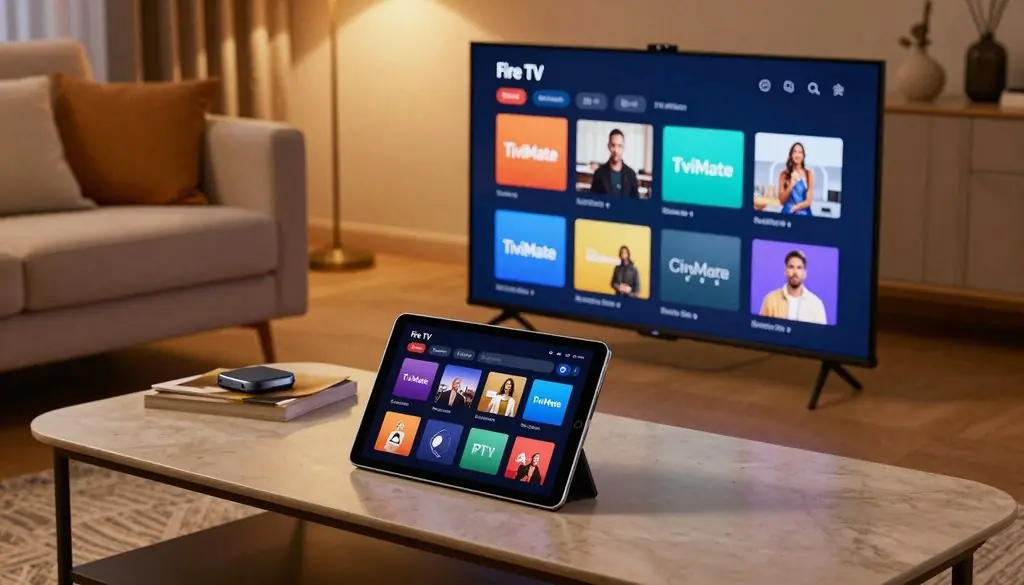
Best IPTV Apps Explained (Smart IPTV, TiviMate, and More)
Key Takeaways
- TiviMate suits viewers who use Android TV or Fire TV.
- IPTV Smarters can suit households with different device types.
- Smart-TV app choices depend on the exact TV and region.
- A player needs authorized access before channels can appear.
- Free streaming services and public playlists serve different needs.
- The best starting point is the device used most often.
The best starting point is the device used most often, not the longest feature list.
What does an IPTV player do, and what does it not include?
An IPTV player is software that organizes and plays streams, not a source of channels or subscriptions. It can show playlists, guide data, and video in one interface, but it does not create the content.
The IPTV service or authorized playlist supplies the streams. A blank player cannot show channels until someone adds a playlist or service login. The app’s price and the service’s price are separate costs.
A viewer should check three things before setting up an account:
- Confirm the content is authorized for the viewer to access.
- Check whether the player and service have separate costs.
- Avoid sharing login credentials when other people do not need them.
The player handles how available content appears, while the service handles stream access. That difference matters when a channel is missing or a login stops working. A player cannot fix a problem with content or access it never received.
Before installing any player, confirm that the intended playlist or service is authorized for the viewer to use.
Which playlist format works best, M3U or Xtream Codes?
Xtream Codes is often easier when a provider supplies separate live, movie, and series sections. M3U is the straightforward option when the provider supplies a playlist URL. The right format depends on the access details the service gives the viewer.
Use the login type supplied by the provider. A player cannot turn an M3U URL into Xtream Codes details, or the other way around. The EPG may also rely on data included with the playlist or supplied separately.
M3U and M3U8 playlist links
An M3U playlist is a plain-text file containing stream URLs. M3U8 uses the same basic playlist approach, but it is the UTF-8 version. That encoding can help display text in more languages or character sets.
M3U metadata may include channel names, logos, TV guide identifiers, and group titles. M3U8 is not inherently better; its UTF-8 encoding matters when the playlist needs it. M3U metadata fields can help an app build a clearer channel list.
Xtream Codes login details
An Xtream Codes connection uses a server address, username, and password. It can present separate live TV, movies, series, and EPG sections. This layout may save time when a viewer switches among content types.
Compatible services can also supply movie posters, plot summaries, cast details, and season or episode information. A large M3U file can take longer to refresh because the app downloads the whole file. Files with 50,000 or more lines may be especially slow.
| Format | What the user enters | Guide or library details | Practical consideration |
| M3U | Playlist URL or file | Names, logos, guide IDs, groups | Refresh downloads the whole file |
| M3U8 | UTF-8 playlist URL or file | Playlist metadata in UTF-8 | Useful when character encoding matters |
| Xtream Codes | Server, username, password | Separate live, movie, series, EPG sections | Provider must supply all three fields |
For a very large M3U file, allow extra time for a full refresh rather than assuming the app has frozen.
Best IPTV Apps Explained (Smart IPTV, TiviMate, and More): Which Player Fits Each Device?
For a Fire TV or Android TV household, start with TiviMate. For a household that needs iPhone or iPad support alongside TV devices, start with IPTV Smarters. The device often narrows the best IPTV shortlist quickly.
TiviMate is Android-only in 2026, while IPTV Smarters supports Apple mobile devices and several TV platforms. Smart IPTV and SmartOne IPTV are separate apps, not alternate names for one product.
Smart-TV owners can also check OctosPlayer when the TV model fits its platform support. It supports LG webOS 3.0, Samsung Tizen 3.0, Android, and Windows in 2026. Its Xtream Codes connection includes an EPG, search, favorites, and continue-watching tools.
OctosPlayer also supports up to five profiles and offers an optional PIN-protected adult filter. Its interface comes in 31 languages. Those details may matter in homes where people want separate profiles or need a particular language.
| App | Best-fit device | Supported platform detail | Distinguishing feature |
| TiviMate | Android TV or Fire TV | Android devices only | Detailed TV guide controls |
| IPTV Smarters | Mixed-device households | iPhone, iPad, Fire TV, Android TV | Live TV, movies, and shows |
| Smart IPTV | Compatible smart TV | Selected smart-TV models | TV-focused player app |
| SmartOne IPTV | Compatible smart TV | Selected smart-TV models | Separate option from Smart IPTV |
| OctosPlayer | Compatible LG or Samsung TV | webOS 3.0, Tizen 3.0, Android, Windows | Five profiles and 31 languages |
These best IPTV players do not all work on every device. An app listing may differ by operating system, model, or account region. A player that runs on one television in a home may not appear on another.
Check the app’s listing on the intended device before settling on a shortlist.
Is TiviMate worth paying for on Fire TV or Android TV?
TiviMate Premium is most worthwhile for frequent Android TV and Fire TV viewers who rely on a detailed guide, multiple playlists, or scheduled recordings. The free version supports one playlist and a two-day program guide in 2026.
Premium costs $9.99 per year or $33.99 for a lifetime subscription in 2026. It adds multiple playlists, a customizable EPG, scheduled recordings, parental controls, picture-in-picture, and favorites management.
Recording can help viewers save a program for later instead of planning around its broadcast time. Picture-in-picture lets a viewer keep video visible while using another app. The guide tools can also help households manage a larger channel list.
The free tier may be enough for someone who uses one playlist and checks only near-term listings. Premium makes more sense when the viewer needs its added guide and recording tools. TiviMate Premium pricing is separate from any IPTV service subscription.
The Premium licence has a five-device activation limit in 2026. That limit applies to the app licence, not the number of simultaneous streams. It does not grant extra streams from the service.
Choose the annual or lifetime option only after checking that the app’s feature set matches the household’s viewing habits.
When is IPTV Smarters the better all-round choice?
IPTV Smarters is the more practical option when viewers want live channels, movies, and shows organized in one app. Its sections create a familiar layout for people who move between scheduled programs and on-demand titles.
Its live TV, movie, and TV-show sections suit households with varied viewing habits. The common product name IPTV Smarters Pro also appears in app listings and searches.
Different features answer different needs, rather than serving as one bundle of extras. A guide helps with scheduled programs, while favorites reduce repeat searching. Recording can help a viewer save a program for later.
- EPG: check program times before opening a channel.
- Favorites: keep often-watched channels easy to find.
- Recording: save supported programs for later viewing.
- Parental controls: limit access to content in shared homes.
- Live TV section: browse scheduled channel streams.
- Movie and show sections: sort on-demand viewing by type.
Some users want the same player to work across a household’s viewing routines. Others may care most about live channels or the layout of its on-demand sections. Smarters Pro can be a useful fit when separate content areas make browsing easier.
It is a particularly useful starting point when household members value different content categories or parental settings.
What is the best IPTV player for a compatible smart TV?
For a compatible Samsung Smart TV, first check the Samsung Apps catalogue for an IPTV player that supports the provider’s login type. Compatibility depends on the exact television and app catalogue.
Samsung IPTV app availability can vary by model, Tizen version, country, and account region in 2026. A player found on one Samsung TV may not appear on another.
Check Samsung model and app-store eligibility
On a compatible Samsung TV, install an IPTV app through Samsung Apps. Add the M3U playlist or Xtream Codes login supplied by the service. If the provider supplies an XMLTV EPG URL, the player may let the viewer add it separately.
| Setup item | What to enter | When it applies |
| M3U playlist | Authorized playlist URL | Provider gives an M3U link |
| Xtream Codes login | Server, username, password | Provider gives three login fields |
| XMLTV EPG URL | Guide URL from provider | Provider supplies separate guide data |
Consider other smart-TV platforms
Owners of LG and other smart TVs should check the exact model and platform version before choosing an app. Smart IPTV, SmartOne IPTV, and OctosPlayer are separate options to investigate, not interchangeable names.
A built-in TV app can reduce the need for an external box, but it still needs compatible software and authorized access. The TV’s operating system can affect which players appear. An app name alone does not confirm that a given model supports it.
Confirm app availability on the exact television and account region before relying on a built-in TV setup.
Can free IPTV apps and playlists replace a paid service?
Free streaming services can cover some live and on-demand viewing, but they are not the same thing as a complete IPTV subscription. Free options vary in content, supported devices, and regions.
Samsung TV Plus, Pluto TV, and Tubi are free, ad-supported services with different catalogs. Their availability depends on supported TVs, markets, or countries.
Free, ad-supported streaming services
Samsung TV Plus offers live channels and on-demand content on supported TVs in supported regions in 2026. Pluto TV offers ad-supported live channels and on-demand content in supported markets. Tubi offers free movies and TV shows in supported countries.
These services may cover casual viewing without a paid IPTV service. Their content is not the same as a chosen provider’s channel lineup. A service’s app and catalog also depend on the viewer’s device or location.
Public IPTV playlists
The iptv-org project collects streams that broadcasters make publicly available. Public M3U links can be found through that project, but its list is not a guaranteed replacement for a paid service.
Public streams include several kinds of broadcaster content:
- News channels
- Public television
- Government or sports channels
Broadcasters maintain these streams, so a link can go offline, change, or become geo-blocked. A public playlist may work for one viewer and fail for another. Its list also may not match a viewer’s preferred channels.
Treat a public playlist as a changing collection of broadcaster streams, not a dependable channel guarantee.
How should viewers choose an IPTV provider and assess a free trial?
A useful provider comparison checks authorized content, device compatibility, and real playback, not just the channel count advertised. The provider determines content and stream delivery, while the player controls how viewers browse it.
Test the service on the device the household uses most. ProtoIPTV is one provider name viewers may assess separately from the playback app.
The related guide “Reddit’s Best IPTV Providers – Real Reviews & Free Trial Options” focuses on provider evaluation. A free trial can help test a service, but its terms matter as much as its advertised access.
| Check | What to verify | Trial test | Decision signal |
| Authorization and content | Rights to offered channels | Open the channels needed | Content fits intended use |
| Device and login compatibility | Player and login support | Sign in on main screen | Login works on household device |
| Stream and guide performance | Playback and EPG behavior | Test live channels and listings | Streams and guide load well |
| Trial terms | Length, limits, and conditions | Read current offer details | Terms match expected use |
Trial access, length, and included features can differ among providers. Verify any trial’s current availability and terms directly rather than assuming it includes a set duration or particular features.
Use any available trial to test the same channels and guide on the device the household actually watches.
How can viewers set up and test an IPTV player?
A reliable first test is to install the player from an official source, enter authorized access details, and verify playback before customizing the interface. Start simply so a setup problem is easier to spot.
Use the login method that matches the provider’s details. Google Play and the Amazon Appstore are possible official installation sources when the app is available there.
Install the player and add authorized access
Install the player from an official store when possible. Choose the playlist or login method that matches the service details. Enter the server address, username, password, or playlist URL carefully.
Keep the credentials private and check each field before saving. A small typing error can stop a login from working. Some players also let the viewer add guide details after the initial account setup.
Test playback and troubleshoot common faults
Test one live channel, check whether the EPG loads, and open on-demand content when available. These checks separate a working login from a guide or playback issue. A missing guide does not always mean the account failed.
Login errors point toward incorrect details or a service access problem. Buffering can relate to the network or stream delivery. If video plays but listings do not, check the EPG settings rather than changing the login.
VLC can open an M3U or M3U8 URL from its Media menu for a quick desktop test. Kodi can use an M3U playlist and XMLTV EPG through the PVR IPTV Simple Client add-on.
“What Is the Best IPTV Player for Firestick: ProtoIPTV Picks” covers Fire TV player choices. “Best IPTV Encoder Box 2026 – Top Picks for Smooth Streaming” relates to streaming hardware, though no single box suits every setup.
A login error, missing EPG, and buffering are different faults; test each part before changing the whole setup.
Write down which channel failed and whether the guide or video still worked. That detail can help separate an account issue from a single stream fault.
If the same stream fails in more than one player, check the provider connection and home network before reinstalling apps.
Conclusion
The most useful player is the one that fits the device and login the household already uses. TiviMate is the clearest starting point for Android TV and Fire TV power users, while IPTV Smarters suits mixed-device homes.
Viewers who want to avoid an external box can check compatible smart-TV apps. Their best choice still depends on the television and supported software.
Test an authorized playlist on the main viewing device before spending time on advanced customization. Start with one authorized login on the main screen, test the guide and playback, and keep the app that feels easiest to use.
FAQ
How to choose the best IPTV provider?
Choose a provider by checking authorized content, device compatibility, stream reliability, and guide quality. A trial can show how the service works on the household’s main screen, but its terms should be clear first. Check what the offer includes and how long it lasts. Do not judge a provider by channel count alone.
What is better than Tivimate?
IPTV Smarters is a better fit for households that need a mix of devices, including iPhone or iPad. TiviMate remains the stronger choice for Android TV and Fire TV viewers who want detailed guide control. The best fit depends on the devices already in use and the features people rely on most.
What is the best IPTV player for smart TV?
On a compatible Samsung TV, Smart IPTV or SmartOne IPTV may be worth checking first. The exact options depend on the television model, software, and region. Those two apps are separate products. LG and other smart-TV owners should check their own model and platform before choosing a player.
What is the best IPTV playlist?
The best playlist format is the authorized one supplied by the service. Xtream Codes can organize live TV, movies, and series into separate sections when the provider supports that login. M3U is a direct option when the provider supplies a playlist URL. A player cannot make an unsupported format work.
What is the most popular IPTV app?
There is no supported popularity ranking that names one IPTV app as the most popular. TiviMate is a sensible choice for Android TV and Fire TV viewers, while IPTV Smarters suits a wider mix of devices. Compatibility and the guide layout matter more than an unverified claim about popularity.
What’s better, Xtream or M3U?
Xtream Codes is convenient when a provider supplies separate live TV, movie, and series sections. M3U is direct and broadly usable when the provider supplies a playlist URL. Neither format works without matching details from the service. Viewers should use the login method their provider supports.
How much does Xtream IPTV cost?
Xtream Codes is a login format, not a channel service, so the format itself does not set a service price. Any charge comes from the provider offering the streams. The player may also have its own fee, separate from the service. Check those costs as separate items before choosing a setup.
Leave a Reply