
Choosing a Canadian IPTV option for TiviMate starts with separating the app used to watch from the provider that supplies a playlist. The player and the content source are separate choices, even when both shape the viewing experience. That difference matters when comparing streaming options across devices.
An EPG is an electronic program guide, an on-screen schedule that links channels with program listings. A useful comparison looks at playlist compatibility, guide quality, price, and content authorization. Each can affect whether a service fits a household.
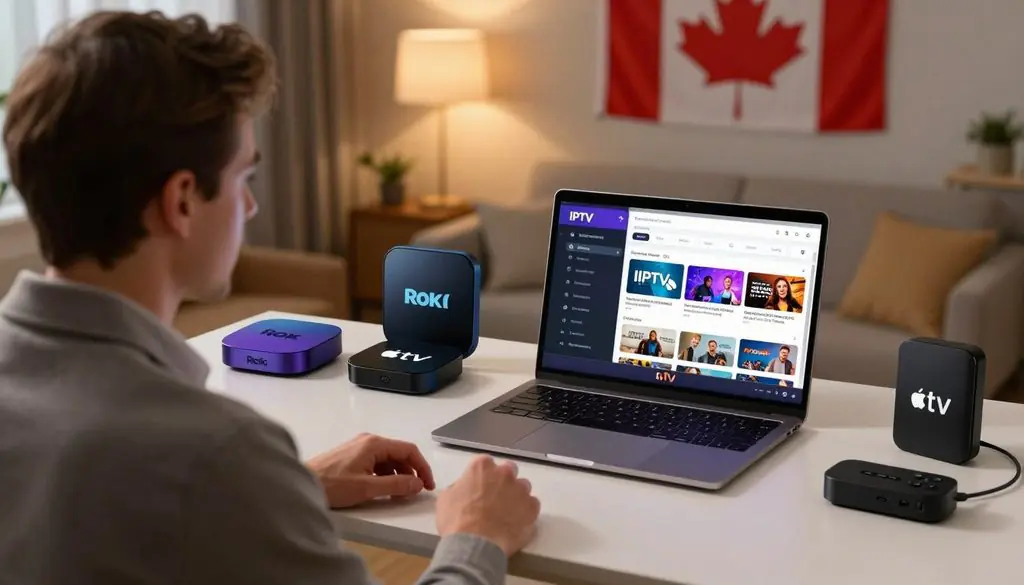
iptv services for tivimate
This overview focuses on practical checks, not a promise that every playlist will work the same way. It also separates app costs from provider charges, so viewers can judge the full subscription before paying. The goal is a setup that suits the household’s devices and viewing habits.
A suitable choice depends on both the playlist’s compatibility and the provider’s authorization for its content.
Key Takeaways
- TiviMate plays compatible playlists but does not supply channels.
- EPG quality depends on schedule data and channel matching.
- App fees and provider subscriptions cover different things.
- Test the channels and devices the household plans to use.
- Confirm content authorization before committing to a provider.
What Does TiviMate Actually Provide?
TiviMate is a player for compatible playlists, not a service that supplies live channels or movies. The distinction matters: a working app cannot create access when no IPTV provider supplies a playlist.
TiviMate Premium pays for app features only, not channels or video on demand. A provider’s subscription covers its content access under its own terms.
The Player and the Content Source
TiviMate IPTV use involves two products: the player and the content source. Third-party providers may offer playlists that users add to TiviMate, but those providers are not part of the app.
Paying for TiviMate Premium unlocks player features. It does not add live channels, movies, or other media to an account. A separate IPTV subscription may be needed for content, depending on the provider’s offer.
TiviMate plays content supplied through a compatible playlist; it does not provide streams or media content itself.
That separation also matters when a playlist stops working. The player and provider are different services, so a problem with one does not prove the other is at fault.
Features and Intended Devices
The app includes multiple playlists, favorites, search, multiview, catch-up, recording, parental controls, and personalization. These features support different ways to sort and watch available content.
Not every feature belongs to a paid tier, and access can depend on the app version. Viewers should check which tools are available before buying Premium for a particular feature.
TiviMate is intended for Android TV devices, including many Android TV boxes and compatible televisions. It is not optimized for phones or tablets, so mobile users may find the controls or layout unsuitable.
Viewers using phones or tablets should check app suitability first, because TiviMate is intended for Android TV devices.
How Do Playlists and EPGs Work in TiviMate?
A TiviMate playlist supplies channel access, while an XMLTV source supplies program schedule data. They do different jobs, so a playlist can load even when its guide needs separate setup.
A channel list and its schedule must match for guide entries to appear beside the right channels. TiviMate supports more than one EPG source.
M3U Playlists and Xtream Codes API
Providers may supply an M3U playlist or login details for the Xtream Codes API. M3U is a playlist file or link; Xtream Codes API is a login-based playlist setup. Both can give TiviMate access to channel information.
XMLTV is different. It carries program schedule data, rather than the channel access itself. TiviMate can use XMLTV as an EPG source and can work with multiple sources when a viewer needs them.
| Format | Information carried | TiviMate’s role |
| M3U | Playlist and channel access | Loads the playlist |
| Xtream Codes API | Login-based playlist setup | Uses supplied login details |
| XMLTV | Program schedule data | Matches listings to channels |
A public Canada XMLTV listing showed 805 channels and 119,525 shows in 2026. That large listing does not mean every channel will match a particular provider’s playlist.
Adding an XMLTV Program Guide
Setup uses the details and format supplied by the IPTV provider. The steps are simple, but matching the correct channel identifiers can take care.
- Obtain the playlist details from the IPTV provider.
- Add the playlist in TiviMate using the supplied format.
- Add or match the EPG source, then refresh the guide.
A guide may show blank listings when the schedule source lacks the channel’s identifier. It may also show another program when two systems use different channel names or codes.
If a guide entry is missing or mismatched, check the channel mapping before assuming the stream itself is unavailable.
Which IPTV Services for TiviMate Fit Canadian Viewers?
ProtoIPTV is the trial-focused pick for viewers who want to test a TiviMate connection before choosing a longer subscription. That makes it a compatibility test, not an endorsement or proof of licensing.
The best IPTV services for TiviMate depend on playback, guide fit, clear terms, and content authorization. A high advertised channel count alone cannot show whether the service fits a household.
ProtoIPTV’s Trial as a Compatibility Test
In 2026, ProtoIPTV advertised more than 28,000 live and popular channels and more than 100,000 movies. It also advertised a seven-day EPG in Grid or Classic format.
ProtoIPTV offers a 24-hour trial with no credit card required. The company says the trial works with TiviMate and IPTV Smarters Pro. A free IPTV trial can reveal whether a playlist loads and whether the guide behaves well on a specific device.
Trial access does not settle every question. A short test can show channel playback and guide fit, but it cannot confirm content rights or long-term service quality.
Match a Provider to the Viewing Need
Viewers comparing Canadian package details can consider VMedia, with its channel options described in the pricing section. That may suit people who want clear package terms instead of choosing from a broad advertised list.
The best IPTV service for TiviMate in 2026 should fit the viewer’s device, show accurate guide listings, state its terms clearly, and have authorization for its content. Sports fans can test the live sports channels they care about, while movie viewers can check the titles they expect to watch.
Searches for the best IPTV provider for TiviMate on Reddit lead to individual user experiences, not proof of licensing or reliability. Viewers can weigh those accounts against compatibility, guide performance, transparent terms, and content rights.
The titles Best IPTV Subscription 2026: Channels, Pricing & Free Trial, IPTV Subscription 2026: Best Affordable 4K Streaming Service, and Best IPTV With EPG: Free IPTV Trial From ProtoIPTV frame common comparison points. A title or claim does not guarantee 4K quality or uninterrupted service.
Use the trial to test the channels and guide that matter to the household, not just the advertised total.
What Does a TiviMate IPTV Subscription Cost?
A TiviMate IPTV subscription can mean two separate payments, one for app features and another for a provider’s content. Those charges buy different things, so a single total can hide what each plan includes.
TiviMate Premium was listed at $6.99 per year in a 2026 comparison, and it covers app features only. Provider costs depend on the package and subscription term.
| Option | Stated price | Access included |
| TiviMate Premium | $6.99 per year | App features only |
| VMedia Premium Flex TV | $50.00 per month | 60+ channels |
| VMedia a la carte channels | From $3 per month per channel | Selected individual channels |
VMedia’s Premium Flex TV package offers 60 or more channels for $50.00 per month. Its a la carte option starts at $3 per month for each channel, which lets customers choose individual channels.
VMedia’s Grand Premium package includes more than 100 channels, including the 80 most-watched channels in Canada. Its package lineup differs from a TiviMate app upgrade, which does not add provider content.
The cost of an IPTV subscription changes with the package and subscription term. A monthly plan and a longer commitment may carry different total costs or cancellation terms.
Before paying, viewers should read the provider’s full package terms, including billing frequency and any extra charges. They should also note whether a quoted price covers one account, one screen, or a set number of connections.
Compare the service charge with the app fee as separate line items before deciding what a plan costs overall.
What Should Canadians Check Before Subscribing?
In Canada, the key legality check is whether the provider is authorized to distribute the content, not whether it works in TiviMate. Compatibility alone proves nothing about a playlist’s rights.
IPTV technology and the legality of a content source are separate questions. TiviMate does not provide content or endorse illegal content sources.
Content Authorization Under Canadian Law
Canada’s Copyright Act prohibits unauthorized reproduction or telecommunication of protected works to the public. Unauthorized distribution of protected works can raise legal concerns, even when a stream opens in a player.
Under Canada’s Copyright Act, protected works cannot be reproduced or sent to the public without authorization.
IPTV describes a way to deliver television over internet networks. That technology can carry authorized content, but the rights held by a particular provider still matter.
Test the Service on the Intended Device
A service can behave differently on a smart TV, Android box, Firestick, or home network. Testing the actual device helps reveal loading problems, weak picture quality, or controls that do not fit the screen.
Before paying, a viewer can use this short checklist:
- Identify who supplies the content.
- Check whether the provider explains its content rights.
- Test the service on the intended device and home network.
- Assess support response and guide accuracy during the trial.
Live sports can expose buffering or sound problems that are less clear during a short clip. A stable network and a working guide both matter when a household plans to watch events as they happen.
A successful playback test cannot replace checking the provider’s content rights.
Conclusion
The clearest starting point is to treat TiviMate and the IPTV provider as separate choices. TiviMate is a player, while the provider supplies the playlist and content.
Compatibility does not establish that a provider has the right to distribute its movies, series, or live channels. A brief test can still show whether the playlist, EPG, and channels that matter work on the household’s device.
Before paying for a longer term, test the intended playlist on the household’s device and verify the provider’s content authorization.
FAQ
Can a free trial prove that an IPTV provider is licensed?
No, a free trial cannot prove that an IPTV provider is licensed. It only shows whether the account can access streams and how they play during the test. A working channel does not show who owns the rights or whether the provider has permission to distribute it. Viewers need to assess authorization separately from playback.
Why can an XMLTV guide show the wrong program for a channel?
Channel mapping errors, mismatched identifiers, or stale schedule data can make an XMLTV guide show the wrong program. The playlist and guide may use different names or codes for the same channel. Check that the right guide entry is mapped to the channel, then refresh the EPG so TiviMate loads current schedule data.
Can one IPTV subscription be used on multiple screens at the same time?
It depends on the provider’s account terms and its allowed number of simultaneous connections. Some plans may limit use to one stream, while others may allow more. The screen count in a home does not automatically equal the number of streams the account permits. Check the connection limit before choosing a plan.
How should viewers test a live sports stream before paying?
Viewers should test the relevant channel during a live event on the device and home network they plan to use. Watch for picture breaks, delays, and changes in sound during active play. Check whether the guide lists the right event and start time. A quiet period outside a game may not reveal the same playback issues.
Does a large channel count guarantee that the channels a household wants will work?
No, a large channel count does not guarantee that the channels a household wants will work. Advertised totals do not show whether specific stations load, have accurate listings, or remain available. A household should test its key channels and program listings during a trial. That gives a more useful fit check than the total alone.
What should viewers do if a TiviMate playlist loads but the EPG is empty?
Viewers should confirm that an XMLTV source has been added, refresh the guide, and check the channel matches. A loaded playlist can provide channel access without usable schedule data. If the guide remains empty, inspect the channel identifiers and confirm that the selected EPG source covers those channels. An incorrect mapping can leave listings blank.
Leave a Reply