
The best-fit IPTV subscription for a UK household is one whose content rights, device compatibility and payment terms can all be checked before purchase. IPTV is television delivered through an internet connection rather than by satellite or cable.
Channels reach a household through an internet connection and an IPTV player, which displays the streams on a television or other device. Picture quality depends on the stream, the device and the connection, so the same service can perform differently across homes.
ProtoIPTV is the service discussed here. A buyer comparing it with other options needs to know what can be checked before paying, from trial terms to device fit. This page offers a practical way to assess those points without assuming every offer has the same features or conditions.
A setup guide can help with the first login, but it cannot confirm that a service suits the whole household. A buyer should verify the provider’s current offer and terms before sharing payment details.
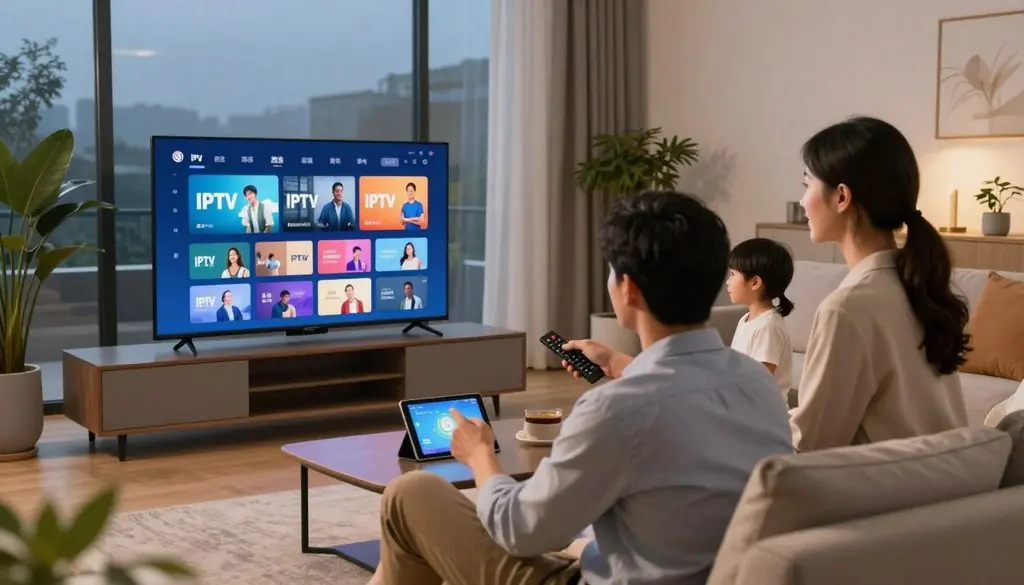
Best IPTV Subscription UK
Key Takeaways
- IPTV delivers television through an internet connection.
- Channel rights and business terms matter before payment.
- Check device compatibility and stream quality during a trial.
- Compare the full amount due, not only a monthly equivalent.
- Confirm how many streams a plan allows at once.
- Keep written terms and account details in a safe place.
Is IPTV Legal in the UK?
IPTV technology is legal in the UK, but each service still needs permission to distribute the programmes and channels it offers. The key issue is the right to distribute each piece of content, not the delivery method. IPTV describes how television reaches a viewer, not whether a particular stream is licensed.
The Copyright, Designs and Patents Act 1988 protects works such as films and broadcasts. Copyright limits acts including copying and distribution, as set out in the GOV.UK copyright guidance. A service offering live channels needs rights that cover the content and the way it reaches viewers.
A low price alone proves nothing, so a buyer can check four practical signs before using an IPTV service:
- Identify the service operator and look for a real business name and contact details.
- Ask for clear evidence that the operator has rights to offer its content.
- Read written terms that explain access, payment, renewal and cancellation.
- Check whether the service sends viewers to official licensed broadcasters for programmes it does not distribute.
IPTV is a delivery technology, not a licence to redistribute copyrighted programmes.
Unauthorised streams can expose viewers to copyright risk, and access to questionable services may be disrupted. A VPN cannot prove that a stream is licensed or make an unauthorised service lawful.
Some services may offer a mix of licensed material and unclear channel access. Buyers should judge the actual content on offer rather than relying on a broad claim about the service.
If a provider cannot explain its content rights and business identity, a buyer should choose a licensed viewing route instead.
How to Choose the Best IPTV Subscription UK
The best IPTV subscription for 2026 is the one that combines verifiable content rights, compatible playback and clear written terms. A buyer should compare evidence and fit, not rely on a top-ten ranking. Ofcom regulates broadcasting and communications in the UK, but that does not mean it endorses every IPTV seller.
Start with the household’s real viewing needs, then compare offers using the same checks. A player app does not establish that a service has rights to distribute its channels, even when the app displays a polished guide.
A practical comparison can cover rights information, device fit, support, content categories and written terms. These points help a buyer choose IPTV for actual use, rather than for a headline feature that may not matter at home.
Rights information should explain what the service can distribute. Device fit means the IPTV player and stream work on hardware already owned. Support should be reachable through a clear channel, with help available for account or playback issues.
Content categories matter because a large library may not include the films, series, live channels or kids’ programmes a household wants. Buyers can check whether listings describe the content in useful detail, rather than offering only a large total.
Written terms should state the subscription plans, renewal rules, simultaneous connections and any limits on account access. A seller’s website should make these points clear before checkout, not only after payment.
For a UK buyer considering the best IPTV in 2026, the winning fit runs on an existing device and states its renewal and connection limits before payment. A buyer should treat a large channel count as a claim to verify, not as proof of quality or licensing.
What Should Buyers Compare in an IPTV Plan?
The meaningful price comparison is the total due now and at renewal, not just a low monthly equivalent. Check the billing interval and full amount together, since an advertised monthly figure may divide an upfront total across a longer term.
A plan’s checkout page should spell out the total, payment interval, any automatic renewal, simultaneous connections, accepted payment methods and refund terms. Those details shape what the buyer pays and what access the account receives.
The amount due depends on the selected term, connection count and stated extras. A monthly equivalent does not mean the buyer can pay month by month, so the payment schedule needs separate attention.
The Consumer Contracts (Information, Cancellation and Additional Charges) Regulations 2013 set requirements for pre-contract information and cancellation rights. Buyers should read the terms before checkout and keep a copy of the offer shown at that time.
An IPTV plan “for sale” is a subscription offer, not necessarily a one-time purchase. The buyer should know when access begins, how long it lasts, what triggers a renewal and how cancellation works.
Payment details also need care. The checkout should identify the seller, show the amount to be charged and explain any additional costs before the buyer confirms the order.
A plan with more simultaneous connections may cost more, while a longer term may change the upfront total. Neither point should be assumed from a monthly label alone. The buyer should keep a copy of the checkout terms and confirmation before completing payment.
What to Check Before Starting a ProtoIPTV Free Trial
A free trial is useful only if its limits and any post-trial charge are clear before activation. The stated conditions determine when access ends and whether payment follows, so a free trial is not the same as a paid introductory subscription.
ProtoIPTV offers a free IPTV trial, but the buyer should read the current offer rather than assume its length or access rules. Before starting, the trial checklist should cover:
- How to request access and what account details are needed.
- Which live channels, movies, series and other features the trial includes.
- Which device and IPTV player can be tested.
- How long access lasts and the exact expiry time.
- Whether payment details are requested and whether access converts to a paid plan.
The trial gives a chance to judge real playback, not just a promotional description. The buyer should test one live channel and one on-demand title, then note whether the picture and sound suit the intended device.
Testing both types of content can reveal different issues. A live stream may load while an on-demand title does not, or the reverse may happen. The buyer can also check whether the available guide data helps them find a programme.
Trial access may not cover every channel or feature in a paid subscription. The buyer should compare the trial’s stated scope with the content and tools they expect to use before treating a brief test as a full review.
Where setup details are sent by email, the buyer can keep the message with the trial terms for later reference. The buyer should save the trial terms and note the expiry time before starting access.
What Does an IPTV EPG Actually Provide?
An EPG is an on-screen guide that shows programme schedules, with its usefulness determined by the guide data available for each channel. It helps viewers see what is on now and what is listed next, but it cannot fill gaps in the data supplied for a stream.
Programme details can vary by channel, including show names, descriptions, start times and later listings. A service may show a full schedule for one channel and only a few details for another.
Live schedules and programme details
A clear guide can help a viewer scan live channels without opening each stream. The displayed schedule depends on the information supplied for each channel, so accuracy and coverage can differ across the same service.
During a ProtoIPTV free trial, a viewer can check guide coverage, time-zone alignment and schedule accuracy against channels they watch. A listed programme may start late or lack a description, so a short check across several time slots can be useful.
EPG features in IPTV players
Player apps can add tools around the guide, though each app handles playlists and viewing features in its own way. TiviMate supports multiple playlists and a customizable EPG, while IPTV Smarters includes an EPG, recording, a favourites manager and parental controls.
| Feature | App example | What the reader can check |
| EPG | TiviMate and IPTV Smarters | Guide coverage and schedule detail |
| Playlist handling | TiviMate | Multiple playlists and guide setup |
| Recording | IPTV Smarters | Recording options on the device |
| Parental controls or favourites | IPTV Smarters | Controls and saved channels |
These features depend on the app version, device and service setup. A customizable TiviMate EPG can make a guide easier to arrange, but the channel data still shapes what viewers see.
A viewer should test the channels they actually watch, since an EPG can be complete for some streams and sparse for others.
What Is the Best IPTV Player for Firestick? ProtoIPTV Picks
A Firestick viewer who wants a basic guide can start by checking XCIPTV, while someone seeking playlist customization can assess TiviMate. XCIPTV is the Fire TV-first starting point for a basic guide; TiviMate suits viewers who want more control, if it works with their device.
The player and subscription are separate, so installing an app does not by itself provide channel access. Current availability and compatibility can change, and a viewer should check the app listing for the device in use.
A simple Fire TV guide
XCIPTV is described as a free IPTV player for Fire TV and Android TV, with a TV guide. That makes it a straightforward option to consider when the main need is browsing channels on a television screen.
The app’s current Fire TV availability should be checked before setup. A listing for one device or region does not guarantee the same option appears on every Firestick.
Playlist and EPG customization
TiviMate is worth considering when playlist and guide customization matter more than a basic layout. Its Premium plan costs $9.99 per year or $33.99 for a lifetime subscription.
The viewer should weigh those costs against the features they will use. The app’s price does not include an IPTV subscription or guarantee access to a particular channel list.
Separate the player from the subscription
An IPTV player displays streams and account data supplied for a service. It does not establish content rights or include a service login unless a seller explicitly says so.
A buyer can choose an app for its interface, then assess the subscription on its own terms. A polished guide is useful, but it cannot confirm that a provider has permission to distribute its channels.
Before installing, check the app’s current availability, required permissions and any separate licence.
How to Set Up IPTV on a Firestick
A Firestick setup starts by matching the player to the device, then entering the login format supplied for the account. A Fire TV Stick needs a compatible player app to display an IPTV stream, while the subscription supplies the access details.
Install the chosen app through a trusted route after checking that it supports the Fire TV device. App support and features can change, so the device listing and provider instructions should match the current setup.
Install a compatible player
The viewer can use the Fire TV app store when the chosen player appears there. If the provider suggests another route, the viewer should check that it is trusted and follows the device maker’s guidance.
Common IPTV access formats include an M3U playlist and Xtream Codes login details. The provider’s instructions should state which format the account uses and which fields the player needs.
Enter credentials and test playback
The account details belong in the intended IPTV player, not in an unrelated app or public message. A careful setup can follow these four steps:
- Confirm that the Fire TV device and chosen player are compatible.
- Obtain the provider’s setup instructions for the account.
- Enter the supplied M3U playlist or Xtream Codes login format.
- Test one live stream and one on-demand item.
If setup details were expected by email, the viewer can check the inbox and spam folder. If the details are still missing, official support can help with an order reference.
A rejected login may result from a typing error, wrong format or account status. The viewer should compare each field with the provider’s instructions before trying again.
A stable test should use the same Firestick, IPTV player and home connection planned for regular viewing. The user should test playback on the intended home connection before relying on the setup.
Best IPTV Encoder Box 2026: Top Picks for Smooth Streaming
A home viewer normally needs a streaming device that plays an IPTV stream, not an encoder that creates one. Playback hardware receives and decodes a stream; encoding is a different production function, though buyers sometimes use “encoder box” to mean a streaming box.
The best fit depends on the screen and player the household already uses. These are device categories rather than endorsements of particular models, since compatibility and ports vary by product.
| Device category | Best fit | Check before purchase |
| Existing Smart TV | Households with a supported TV app | Player support and network connection |
| Fire TV streaming device | Viewers who want a small add-on | Current app compatibility and ports |
| Android TV box | Viewers needing Android TV apps | System version and player support |
| Formuler Android TV box | Viewers using compatible Formuler hardware | MYTVOnline3 support and network ports |
A Smart TV may already have the needed app, while an add-on device can bring a different player to an older screen. The buyer should check the exact operating system and connection options before choosing either route.
MYTVOnline3 is built for Formuler Android TV boxes and supports time-shift functions. Those functions let a viewer pause, fast-forward and rewind content on compatible hardware.
Time-shift controls are not the same as recording. A viewer should check whether recording is available for the chosen service and device rather than assuming that playback controls save a programme.
The box also needs to connect to the television and the home network. Ports, remote control, app support and operating system all affect whether a category fits a particular room.
A streaming device decodes content for viewing, while the IPTV player presents it on screen. Neither device category proves that the service supplying a stream has permission to distribute it.
The safest purchase is the device that already supports the chosen player and the television’s available connection.
How Much Internet Speed Does 4K IPTV Need?
A 4K stream needs at least 25Mbps for one device under the 2026 minimum recommendation. Allow more capacity when other devices use the same connection, because the recommendation covers one streaming device only.
Stream quality sets the basic target, but household activity can use the same broadband at the same time. The 2026 minimum recommendations are 3Mbps for SD, 5Mbps for HD and 25Mbps for 4K, per device.
| Stream quality | Minimum recommended speed | Condition |
| SD | 3Mbps | Per device in 2026 |
| HD | 5Mbps | Per device in 2026 |
| 4K | 25Mbps | Per device in 2026 |
These figures are minimum recommended speeds for one device, not a promise of smooth playback in every home. Other household internet use can reduce the capacity available to a stream.
Wi-Fi congestion can also affect the connection between a router and the streaming device. A clear broadband speed result does not always show how well the signal reaches a television in another room.
The streaming device must also support the chosen quality, and the stream itself must be offered in that format. A 4K television cannot turn an HD stream into native 4K content.
For one device, allow at least 25Mbps for 4K IPTV, with more capacity needed for concurrent household use. Check the available speed on the device and connection that will actually be used.
How to Choose an IPTV Plan for Multiple Devices
The number of people who can watch at once is set by the account’s simultaneous-connection limit, not by how many devices have the player installed. An installed app and an active stream are different measures.
Count screens in use at the same time, then compare that number with the written plan. For example, a household might own three televisions and two phones but usually watch on only two screens at once.
The app can sit on all five devices without every screen streaming. If three people start separate streams together, the account needs to allow those concurrent connections.
Simultaneous connections describe concurrent playback allowed by the provider. The plan should state the limit clearly, since installing an IPTV player on several devices does not grant several streams at once.
Home Wi-Fi can affect playback when several people stream or use other online services. The 2.4GHz and 5GHz bands have different range and interference traits, and Wi-Fi follows the IEEE 802.11 family of standards.
A router placed far from a television may give that device a weaker signal. Walls, nearby networks and household activity can also change how well a wireless connection works.
Before paying, a household should match its usual viewing pattern to the plan’s written allowance. The buyer should choose a plan only after confirming its concurrent-stream allowance in writing.
Is IPTV in the UK With a VPN Safer?
A VPN can encrypt a connection to its endpoint, but it cannot make an unlicensed stream lawful or verify the seller. A VPN protects one part of a network connection, not the whole viewing decision.
Privacy and licensing are separate questions. A VPN does not prove that a service has content rights, and using one is not required to use ProtoIPTV.
What a VPN can protect
A VPN encrypts traffic between a device and a VPN endpoint. This can limit what others on the local network can read in transit, but it does not hide every detail of online activity from every party.
Account safety also depends on login habits. The National Cyber Security Centre advises using unique passwords, so a viewer should avoid reusing an IPTV password on email or payment accounts.
Keeping the device and app updated adds a separate security step. The NCSC recommends prompt software and app updates, with automatic updates enabled where available.
What it cannot establish
A VPN cannot verify a provider’s content rights, prevent misleading billing terms or guarantee that an app or seller is trustworthy. It also cannot guarantee anonymity, since websites and services may still collect account or device information.
Buyers should judge access and payment terms on their own merits. Encryption does not change the rights attached to a programme, and it cannot make an unclear seller reliable.
Use a VPN only as one privacy measure, and keep login details out of public messages.
What Should Users Do When IPTV Buffers or Login Fails?
When playback buffers, first test one device and one stream so the fault can be narrowed down. A single-stream test helps separate local network problems from player or account problems.
Buffering can start at several points, including the home network, streaming device, IPTV player or service connection. An authentication error more often points to the login format or account status.
Use this first-response sequence to narrow down the fault:
- Check the internet connection on the affected device.
- Test a single stream and avoid other playback during the check.
- Compare Wi-Fi with a wired Ethernet connection if available.
- Re-enter login details carefully, then contact official support with the order reference.
Ethernet uses the IEEE 802.3 family of standards, while Wi-Fi uses IEEE 802.11. A wired test can show whether wireless interference or router placement plays a part.
Test one device and one stream at a time to separate a home network fault from a player or account issue.
If a guide is missing data, the stream may still work while the schedule remains incomplete. The viewer can note which channels show the issue and whether it affects one device or several.
For a login failure, the viewer should check for spaces, typing errors and the expected login format. An account problem may need official support, especially if the service rejects correct details.
Send support the device model, player name, exact error and order reference, but never include a password in a public post.
Conclusion
A suitable IPTV choice is one the household can verify for rights, terms and playback before paying. Clear rights and compatible playback matter more than a headline channel count.
ProtoIPTV’s current offer can be checked against the household’s device and viewing needs. The reader should confirm ProtoIPTV’s current terms and trial conditions directly before taking the next step.
Leave a Reply