
ProtoIPTV can work with TiviMate only if its login or playlist uses a format the app accepts. TiviMate is a player, not a source of channels, so a content subscription is separate. An electronic program guide (EPG) is an on-screen schedule that matches channels with programs and airtimes.
For Canadian viewers planning a living-room setup, the key question is whether the provider supplies login details TiviMate can load. The app and the service do different jobs: one plays a playlist, while the other provides access to content. This page explains the setup pieces and the checks to make before subscribing.
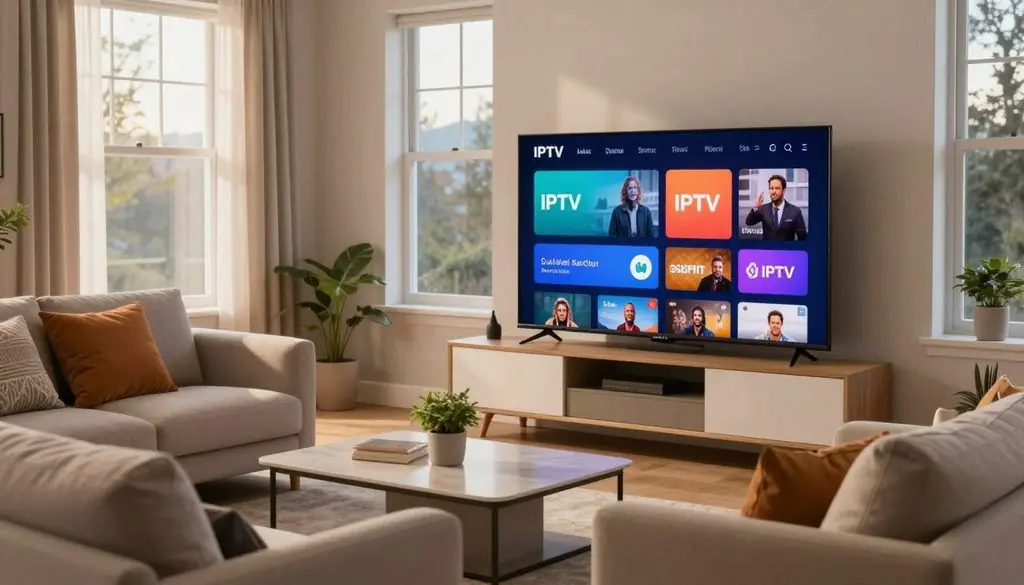
iptv service for tivimate
Key Takeaways
- TiviMate plays a playlist but does not sell channels.
- ProtoIPTV must provide a supported M3U URL or Xtream Codes API login.
- An EPG is separate from channel access.
- App features and content subscriptions are separate purchases.
- Confirm the login format and service terms before paying.
Before paying, confirm that the credentials supplied by the provider match the format the player can load.
What Does TiviMate Do, and What Does It Not Provide?
TiviMate organizes and plays playlists, but it does not supply the channels or shows in them. The distinction matters: the app is a player, while a playlist points it to content from an IPTV provider.
Users need their own playlist or provider login to watch content. TiviMate cannot create access to a channel lineup simply because it is installed on a television.
TiviMate plays the playlist; it does not include channels or a content subscription.
A playlist holds channel details and may include links to an electronic program guide. The IPTV provider supplies the content access and the login details needed to load that playlist.
The app is intended for Android TV devices, where users move through menus with a remote. Large buttons and a TV-focused layout suit a couch better than a touch-first screen.
Phones and tablets use touch controls and smaller displays, so TiviMate is not optimized for them. An app that feels clear on a television may feel awkward on a handheld device.
An app upgrade changes the player’s tools, not the channels available through a provider. A content subscription remains separate, even when a viewer pays for app features.
That separation helps users spot what a charge covers. One payment may cover an app upgrade, while another pays an IPTV provider for content access.
A television that runs Android TV is a more natural fit than a phone or tablet. Check that the device is an Android TV device before planning a TiviMate installation.
Which TiviMate Features Are Free, and What Requires Premium?
The free version is enough for one playlist, a TV guide and channel search, while Premium adds multiple playlists and recording. For a single list, the free app can cover the basic viewing setup.
Premium expands app controls, but it does not unlock channels. A provider or playlist still supplies the content, and a viewer needs separate access to that content.
| Feature | Free | Premium |
| Playlist count | One | Multiple |
| TV guide | Supported | Supported |
| Recording | Not included in free-feature list | Supported |
The free version supports one playlist and a TV guide, along with channel search. Premium adds multiple-playlist support and recording for viewers who need those tools.
TiviMate also lists multiview, catch-up, parental controls, playlist management and favourites among its features. These are app features, not included channels or a promise that a provider offers each function.
For example, a viewer may use favourites to sort a long list, or parental controls to limit access within the app. Whether a stream supports catch-up depends on the content setup, not just the player’s menu.
Premium can suit households that want more app controls or more than one playlist. It does not provide a premium IPTV service, a playlist, or streams by itself.
Compare the tools with the way the household watches television. Choose Premium for its app controls only, not as a substitute for a content subscription.
How Do You Add an IPTV Playlist to TiviMate?
TiviMate accepts either an M3U playlist URL or an Xtream Codes API login. Both formats load a playlist, but the provider decides which login it supplies.
A TiviMate IPTV playlist is a playlist loaded into the player, not a channel package sold by TiviMate. The setup asks users to enter a link or account details from a separate provider.
| Option | What the user enters | Example or use |
| Category M3U | M3U URL | https://iptv-org.github.io/iptv/index.category.m3u |
| Canada M3U | M3U URL | https://iptv-org.github.io/iptv/countries/ca.m3u |
| Xtream Codes API login | Server URL, username, password | Provider login details |
Add an M3U Playlist Link
For an M3U link, select the playlist type, paste the URL, then name and save the list. These steps work for a provider’s link or a public playlist.
- Select the M3U playlist type in TiviMate.
- Paste the M3U URL into the link field.
- Name the playlist and save it.
These are free playlist examples, not paid IPTV services. A public list may have different channel availability and guide details from a provider’s service.
Enter an Xtream Codes API Login
Choose the Xtream Codes API login option when the provider gives that format. Enter the server URL, username and password supplied with the account.
Check each field carefully, especially similar letters and numbers. A missing character can stop the playlist from loading, even when the server address looks right.
TiviMate can reread an M3U playlist link when the playlist updates. Save the playlist under a recognizable name so it is easy to identify if another list is added later.
How Can Canadian Viewers Fill an Empty TiviMate Guide?
A playlist can load successfully in TiviMate while its program grid stays empty because the playlist and EPG are separate. The blank grid does not always mean the channels failed to load.
An EPG provides schedule data, while a playlist provides channel entries. Some iptv-org playlists have no TV guide or only a nearly empty one.
Viewers can add a separate country-specific EPG in TiviMate’s EPG settings. The guide must match the channel lineup, or program names and airtimes may not appear as expected.
A guide can also seem incomplete when its country setting does not fit the channels in the playlist. That mismatch affects the schedule display, not necessarily the streams themselves.
The free version of TiviMate can use a TV guide, so Premium is not required to add an EPG. This lets users test whether a separate guide fills the program grid without upgrading the app.
Check the playlist’s channels separately from the guide. If channels play but schedule details remain blank, the guide data or its channel match may be the issue.
Match the EPG’s country and channel lineup to the playlist before judging whether the guide is working.
What Is the Best IPTV Player for Firestick: ProtoIPTV Picks
For a Fire TV Stick used as a television device, TiviMate is the clearest fit when the priority is a remote-friendly TV interface. Its design suits large screens and remote control navigation.
Player choice should follow the screen and its controls. A TV interface can be easy to use from a couch, while a touch-first app may work better on a phone.
TiviMate for Fire TV and Android TV
TiviMate is designed for Android TV and remote control use. That makes it a practical option for Fire TV or Android TV viewers who want a TV-style layout.
A Firestick user who mainly watches on a television can move through channel lists with a remote rather than tapping small controls. An Android box or Nvidia Shield can also be considered, but users should check the app’s platform availability for their exact device.
The app remains separate from an IPTV subscription. Choosing TiviMate does not confirm that ProtoIPTV supports a particular device or account setup.
Other Player Options for Different Screens
Viewers choosing an app for another screen should check platform support and touch controls first. Windows Mac users, for example, may need a different approach from someone using a Fire TV Stick.
OTT Navigator, iMPlayer, ibPlayer Pro, GSE Smart IPTV and VLC Media Player are options to evaluate. They are not ranked here, and availability or features can differ by platform.
A phone or tablet may need controls designed for touch, while a television setup benefits from clear remote navigation. The best player for one device may not be the best choice for another.
Check whether the app suits the device before paying for separate features. Confirm the player’s platform availability before purchasing any separate app features.
How to Choose an IPTV Service for TiviMate in Canada
The best fit for most TiviMate users is a provider that supplies a compatible login, a matching EPG and clear evidence of content rights. Those checks matter more than a broad feature claim.
IPTV technology does not prove that a provider has licensed its content. Users should assess content rights and service terms as separate questions.
Verify Content Rights and Provider Transparency
A good IPTV service for TiviMate should explain what it offers and show that it has the rights needed to distribute its content. IPTV describes delivery over the internet, not permission to carry every channel.
A free IPTV service for TiviMate should be judged by playlist stability and content rights. A zero price does not make a list safe, complete or reliable.
Check Playlist, EPG and Device Fit
Check that the service supplies an M3U URL or Xtream Codes API login TiviMate can accept. A usable EPG and a device that can run the chosen player also shape the viewing experience.
For anyone comparing the best IPTV service for TiviMate, the useful test is whether credentials, guide data and device support fit together. The best IPTV service in Canada should also be clear about content rights and support.
Searches for the best IPTV service for TiviMate in 2026 call for the same checks, not a time-based ranking. A provider’s claims still need to match the viewer’s device and desired channels.
- Content rights: the provider explains its authority to distribute the lineup.
- Login format: the service supplies an M3U URL or Xtream Codes API login.
- EPG match: schedule data fits the channels and country.
- Device compatibility: the provider and player support the viewer’s device.
- Support route: users can reach a real support channel.
Test Support and Trial Terms
Accessible support can help resolve login or playlist problems. Before starting a trial, confirm its length, included content, payment-card requirements and cancellation terms directly with the provider.
A trial is most useful when it tests the same device and connection the household plans to use. Treat a trial as a compatibility test and verify its conditions before entering payment details.
Your IPTV: ProtoIPTV Options for Canadian Viewers
A Canadian viewer should compare the full subscription term and conditions, not just the advertised monthly equivalent. The total term can change what a viewer pays and how long the service runs.
The prices below are IPTVV.ca examples, not ProtoIPTV prices. They show why a plan’s length and listed amount should be read together.
| Duration | Listed price | Taxes |
| 1 month | $19 CAD | Plus applicable taxes |
| 3 months | $29 CAD | Plus applicable taxes |
| 6 months | $49 CAD | Plus applicable taxes |
| 12 months | $79 CAD | Plus applicable taxes |
Those listed amounts belong to IPTVV.ca and do not describe ProtoIPTV’s plans. A viewer comparing IPTV subscription choices should keep each provider’s prices and terms distinct.
For ProtoIPTV, plan duration, taxes, simultaneous connections, renewal and cancellation terms are separate details to check. A low monthly equivalent does not show the full commitment on its own.
Viewers considering IPTV in Canada should compare the whole term and its conditions, not only a monthly estimate. A longer plan can require more payment up front, even when its monthly equivalent looks lower.
A free IPTV trial is also something to confirm with ProtoIPTV rather than assume. Check its length and any payment-card or cancellation conditions before deciding to start free.
Confirm the final amount due, renewal terms and cancellation process before placing an order.
What Is IPTV: ProtoIPTV Features and Setup Explained
IPTV sends television content over an internet connection instead of relying on a traditional cable or satellite signal. The delivery method changes how the service reaches a screen, not what rights it holds.
An IPTV subscription supplies access credentials for a compatible player. TiviMate can use an M3U URL or Xtream Codes API login to load a playlist.
The basic setup joins an internet connection, provider credentials and a compatible player. The provider supplies access, and the player reads the playlist or login details.
IPTV content may include live channels, on-demand movies, or series. Movies and series are different from live television, so viewers should check which types a provider actually offers.
Sports, live events, video quality and catalog size also depend on the provider’s actual terms. Labels such as ultra or ultra quality do not by themselves prove a certain picture standard.
A service may advertise movies series or a broad range of sports, but those words alone do not confirm availability. The same applies to claims about catch-up viewing or specific events.
ProtoIPTV’s lineup and features should not be inferred from general IPTV terms. Check the provider’s actual lineup and rights rather than inferring them from a feature label.
Which Devices Work, and What Can Cause Setup Problems?
A working setup needs a compatible device, a supported player and correctly entered provider credentials. Each part must work with the others before channels can load.
Device compatibility depends on both the player and the provider’s supported service. IPTVV.ca lists Fire TV and Android TV, but that does not prove ProtoIPTV works on those devices.
When a playlist fails, small entry mistakes can look like a service outage. Check these common points before ruling out the device or player:
- Recheck the server URL and login spelling.
- Confirm the playlist format selected in TiviMate.
- Reload the playlist after a provider update.
- Check the internet connection and restart the player.
Claims such as 25,000 live channels or PPV events do not prove working access or picture quality.
An advertised count, including “25,000 live channels” or “25,000 live,” is not proof that every channel works. PPV events and other listings also need usable access, while quality depends on the stream and connection.
Devices can meet a player’s requirements yet still lack provider support. A viewer should separate a player issue from a provider login or service limit.
If the login is correct but the list still fails to load, ask the provider to verify the credentials and supported device.
Conclusion
TiviMate can be part of a Canadian IPTV setup, but it does not provide the content itself. The player handles playback; the provider supplies access through a compatible playlist or login.
Confirm ProtoIPTV’s login format and content rights before proceeding. That check helps ensure the service, credentials and chosen device fit together.
A clear next step is to ask which login format ProtoIPTV supplies, then compare it with the options TiviMate accepts. Confirm the login format with ProtoIPTV, then add it to TiviMate only after the service and device are verified.
FAQ
Which IPTV services work with TiviMate?
Services that provide a supported M3U URL or Xtream Codes API login can be added to TiviMate. The player uses those details to load a playlist, but the format does not prove that the provider has rights to its content. Viewers should check EPG matching and device compatibility separately, since a working login alone does not confirm a complete setup.
How to add IPTV service to TiviMate?
Choose M3U or Xtream Codes in TiviMate, enter the provider’s link or login details, then save and load the playlist. An M3U setup uses a playlist URL, while an Xtream Codes API login uses a server URL, username and password. The service must supply the chosen format, and the entered details must match its account records.
Is TiviMate a good IPTV service?
No, TiviMate is a media player, not an IPTV service. It organizes and plays a playlist, but it does not supply channels, shows or a content subscription. Users need their own playlist or provider login to gain access. An app upgrade may add player tools, but it does not replace a separate subscription for content.
Which IPTV service is considered the best?
The best choice is the service that fits the viewer’s device, offers compatible credentials and can show rights to its content. A useful comparison also checks EPG quality and support access. The same criteria apply when choosing the best IPTV service in Canada in 2026. A ranking alone cannot show whether a provider works well on a particular home connection.
Who has the most reliable IPTV service?
No provider can be identified as the most reliable from the name alone. Reliability depends on whether the service works on the viewer’s device and connection, and how its support team handles problems. A viewer can test a service under normal home conditions and review trial, payment and cancellation terms before making a longer commitment.
Is IPTV worth it in Canada?
IPTV may suit Canadian viewers who value internet-based access and find a compatible content lineup. The decision depends on rights, connection performance and the full subscription terms. A strong internet connection does not guarantee that every stream will work well, so viewers should consider their own setup and viewing needs before paying for a longer term.
Is there a legitimate IPTV service?
Yes, a legitimate IPTV service needs the rights required for the content it distributes. IPTV is a way to deliver television over the internet; it does not grant a provider permission to carry channels or programs. Viewers should look for clear provider details and evidence of content rights rather than treating a large lineup as proof of lawful access.
How much is an IPTV subscription per year?
IPTVV.ca lists a 12-month plan at $79 CAD plus applicable taxes. That figure is an IPTVV.ca example, not ProtoIPTV’s price or a general Canadian rate. Other providers may set different prices and terms, so the total due, renewal rules and cancellation process matter when comparing a full-year subscription.
Leave a Reply