
For viewers who want live channels and on-demand programs on connected screens, IPTV offers a flexible alternative to watching only through cable or satellite. It brings television to compatible TVs, phones, tablets, and set-top boxes through an IP network. The service can combine live broadcasts with programs viewers choose themselves.
IPTV how it works may seem technical at first, but the basic idea is simple: a provider sends video to a device that can play it. The connection and the provider both shape picture quality. In Germany, viewers also need to know whether a service has rights to carry its channels and programs. That detail matters as much as the device. A stable connection and a properly licensed service are the two essentials for a dependable start.
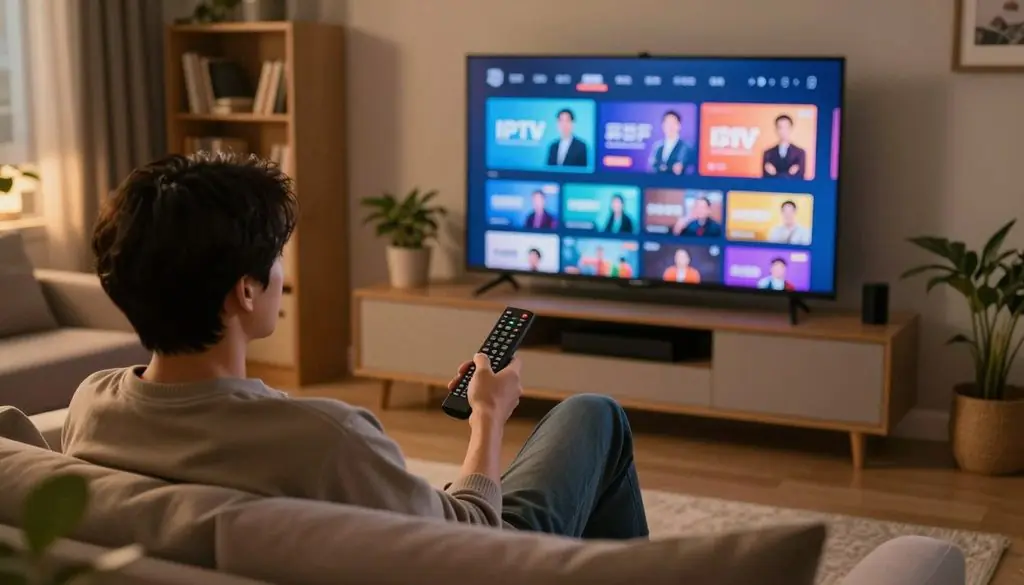
IPTV how it works
Key Takeaways
- IPTV delivers live channels and on-demand programs over IP networks.
- A set-top box or supported app can play the stream.
- Picture quality depends on the connection, device, and provider.
- IPTV is a delivery method, not proof that a service has content rights.
- German viewers should check a provider’s licensing and service terms.
IPTV Meaning and the Role of an IP Network
IPTV is television delivered through an IP network, with the exact route depending on the service provider. An IP network is a network that uses Internet Protocol to route data between connected devices. The route matters because providers can manage some networks more closely than others.
The term internet protocol television describes a delivery method, not a particular channel package or app. The Internet Protocol uses addresses and routing to move data across connected networks, as described in the RFC 791 Internet Protocol specification. The word “internet” does not mean every IPTV service uses the public internet.
The key difference is whether the provider manages the network carrying the stream or relies on the open internet.
A managed network gives the provider more control over the delivery path, which can help it manage quality and latency. Latency is the delay between a program being sent and appearing on screen. This control does not guarantee flawless viewing, but it gives the provider more ways to shape service performance.
OTT streaming also uses IP networks, but it sends video over the public internet. Many video apps use this model, even when viewers casually call them IPTV. That broad use can blur the difference between internet video and a provider-managed television service.
Both models carry digital video, yet their routes and service controls differ. The key distinction is whether the provider manages the network carrying the stream or relies on the open internet.
IPTV How It Works: From Headend to Screen
When a viewer selects a channel, the IPTV system prepares and routes that requested stream to the viewer’s device. The work begins at a headend, the provider’s system for collecting and preparing television content. Each stage has a separate job, from making video playable to showing it on screen.
The provider must prepare, authorize, and deliver a stream before a device can play it. The system also needs to match the viewer’s request with the right channel or program. Here is how those jobs fit together.
Content intake and encoding
Providers acquire live feeds from broadcasters or bring stored video files into the headend. Those sources may include television channels, films, and recorded programs. The system prepares each item for digital delivery rather than sending a raw studio feed to a viewer.
Encoding compresses video so it takes less data to send. H.264 and H.265 are common video codecs, which are methods for compressing and decoding digital video. A codec affects file size and picture detail, so providers choose settings that suit their service and audience.
The provider may also package video into small parts that a playback system can request in order. That packaging helps the service handle different devices and connection conditions. It does not replace the need for a compatible player.
Packaging, authentication, and delivery
After preparation, the service links each stream to a channel or program entry. Middleware is software that can manage logins, billing, channel lineups, and Electronic Program Guide (EPG) data. The EPG is the program schedule and channel grid shown to viewers.
Authentication checks whether an account can access a requested service. Providers may also apply content protection to restrict playback to authorized accounts or devices. The system then routes the requested stream through a managed network or another IP route.
For live television, multicast can send one stream to many viewers on a managed network. That approach avoids creating a separate copy for every viewer on that network. On-demand video usually responds to a specific title request, so the service routes an individual stream to that viewer.
Playback and viewer controls
A compatible app or set-top box receives the stream and decodes it into video and sound. The device then displays the program on a TV, phone, or tablet. A playback interface can also show menus and controls, but it cannot create access to content by itself.
Pause, rewind, and program information depend on what the provider and device support. A live channel may offer fewer controls than a recorded or on-demand program. The service’s software decides which actions appear on screen.
Live viewing commonly uses multicast on managed networks, while an individual on-demand request is commonly delivered by unicast.
The Main Types of IPTV Service
IPTV services generally combine one or more of five viewing formats, from live channels to individually selected titles. The main types IPTV viewers encounter differ in whether programs follow a schedule or wait in a library. Viewers can join a broadcast, choose a title, or replay an earlier program.
The schedule is the simplest clue to how a format works. A live channel follows a broadcaster’s lineup, while some services let viewers decide when playback starts. These formats can sit side by side in one service.
Live and scheduled viewing
Live TV shows a program as it airs. A viewer can tune in to a live news channel during a broadcast, just as with traditional television. The channel’s schedule determines what appears at a given time.
Some services offer scheduled viewing with fixed start times for specific programs. Near Video on Demand (NVOD) uses staggered start times for the same title, so viewers can choose a showing that starts soon. The viewer still joins a schedule rather than starting the film at any moment.
This format can suit a household that likes a familiar channel grid. It can also make a major event easy to find when the event airs live. The program lineup, not an individual search, guides that viewing choice.
On-demand and catch-up formats
Video on Demand (VOD) lets viewers choose a title from a library and start it when they want. For example, someone can select a film after dinner instead of waiting for a scheduled broadcast. The library may include films, series, or other television content.
Time-shifted TV gives viewers access to programs that aired earlier. Catch-up TV is a common form: a viewer can replay a program missed the night before. The service sets which programs remain available and for how long.
Transactional Video on Demand (TVOD) charges for an individual title or event. A viewer might rent one film rather than pay for access to a wider library. TVOD lets viewers choose a specific item, but the charge applies to that item or event.
These formats give different levels of control over start times and title choice. The useful distinction is whether the viewer joins a live schedule, selects a title, or watches a past broadcast later.
Devices, Apps, and the IPTV Box
An IPTV viewer can use a set-top box, a supported smart TV app, or a compatible phone or tablet. What is required to run IPTV? A licensed service account, a stable internet connection, a compatible device, and the provider’s app or interface. The app is a playback tool, not a source of channels or viewing rights.
The right device depends on the screen and the service. A set-top box connects a television to the network, signs in to the service, and decodes streams for playback. Apps can handle those playback tasks directly on supported smart TVs and mobile devices.
Set-top boxes and smart TV apps
An IPTV box is a set-top box built to access a television service. It connects to the network and TV, authenticates the viewer, then decodes the stream. The box may also display the service’s channel menu and Electronic Program Guide.
A smart TV app can play the service without a separate box when the provider supports that TV model. The service’s interface may look different across brands, and some older TVs may not support a current app. An app-store listing alone does not show what channels a service is authorized to carry.
Phones and tablets can also play streams through supported apps. That setup can help viewers watch away from the main TV, though playback still depends on the service account and device support. A phone can also cast video to a television when both the app and TV allow it.
Phones, tablets, and iOS
IPTV how it works on iOS depends on whether the provider supports a compatible iPhone or iPad app or player. The viewer signs in with an account, then chooses a channel or program through that app. iOS does not make an unsupported service or stream compatible on its own.
Some providers use a branded app, while others support a player that works with their service interface. The player still needs authorized access details from the provider. Installing a player alone does not supply channels or permission to view them.
- A licensed service account with working access details
- A stable internet connection
- A compatible television, phone, tablet, or set-top box
- The provider’s supported app or viewing interface
Before choosing a box or app, check that the service supports that device and operating system.
Bandwidth Requirements for SD, HD, and 4K
For one IPTV stream, SD needs about 2-3 Mbps, HD needs 5-8 Mbps, and 4K needs 20 Mbps or more. These are approximate stream targets, not a guarantee that every household connection will play smoothly. Other internet use at home can reduce the capacity available to video.
Bandwidth is the amount of data a connection can carry over time. Several devices sharing a network can compete for that capacity. A large download or video call may affect playback even when the IPTV device itself has a strong signal.
| Picture quality | Approximate bandwidth | Viewing scenario | Factors that can raise the requirement |
| SD | 2-3 Mbps | One standard-definition stream | Other home internet use |
| HD | 5-8 Mbps | One high-definition stream | HDR content or a less-compressed codec |
| 4K | 20 Mbps or more | One ultra-high-definition stream | HDR content or a less-compressed codec |
These figures describe approximate bandwidth for one stream. They do not include extra capacity for other devices using the same connection. A fast plan can still perform poorly if Wi-Fi has weak coverage or interference near the television.
Video compression also affects the amount of data a stream needs. Low-compression codecs or HDR content can raise bandwidth needs. Leave extra capacity when other devices are using the same connection or the stream uses HDR or a less-compressed codec.
IPTV Compared With OTT, Cable, and Satellite
IPTV and OTT both deliver video over IP, but IPTV typically uses a provider-managed network while OTT uses the open internet. The delivery route is the main difference between those two models. Cable television uses a wired cable connection, while satellite TV sends signals from satellites to a receiving dish.
IPTV suits viewers who want a provider-managed TV service; OTT suits app-centered viewing across the public internet. Cable and satellite remain options where their equipment, infrastructure, or coverage fits a household. The best choice depends on what connections and services are available at home.
| Delivery type | Network or signal | Typical viewing setup | Main distinction |
| IPTV | Provider-managed IP network | Provider service on a box or app | Provider controls more of the delivery path |
| OTT | Open public internet | Video app on a TV or mobile device | App-centered access over public networks |
| Cable | Wired cable connection | Cable outlet and compatible receiver | Uses a local cable television network |
| Satellite | Satellite signal to a receiving dish | Dish and satellite receiver | Needs a dish with a suitable signal path |
Each model can bring television content to a screen, but the equipment and route differ. IPTV may feel like a traditional channel service while using an IP connection. OTT services often center on separate apps rather than one provider’s managed channel network.
Households with a cable connection or satellite dish may already have working equipment. Other viewers may prefer app access or a provider’s managed network. The best fit depends on whether a viewer values managed delivery, app-based access, or existing cable and satellite availability.
Benefits and Tradeoffs of an IPTV Subscription
IPTV can give viewers more control over when and where they watch, but the experience still depends on the service and connection. One subscription can combine live channels with video libraries and replay options. Interactive controls and multi-device playback are useful only when the provider supports them.
That flexibility has limits: a service’s features, screen support, and delivery quality can vary. Pause and rewind may work on some programs but not others. A viewer should compare the actual package with the household’s viewing habits.
Flexible viewing and interactive features
Live channels let viewers follow news, sports, or scheduled entertainment as it airs. On-demand libraries let them select a title without waiting for a broadcast time. Catch-up viewing can help when a program’s original showing conflicts with work or family plans.
Some services offer pause, rewind, and playback across supported screens. A viewer might start a program on a television and continue on a tablet if the provider allows it. These tools can make one service feel more suited to different rooms and routines.
Channel grids can also make a large lineup easier to scan. An Electronic Program Guide shows program names and schedules in one place. The guide’s details and controls depend on the provider’s interface.
Costs, connection limits, and service quality
A subscription’s monthly price depends on the provider, channel package, billing period, and region. The package may also set how many devices can play at once. IPTV is not automatically cheaper than cable, so the channel offer and limits matter more than the delivery label.
Playback can buffer or stop when the home connection struggles or the provider has an outage. A compatible device can also affect how well a service runs. These issues can shape the viewing experience even with a paid account.
- Dependence on internet access for viewing
- Device compatibility limits across TVs and apps
- Service interruptions from network or provider problems
- Package terms that may restrict channels or simultaneous screens
Compare the package’s channels and device limits with the household’s actual viewing needs before paying.
Is IPTV Legal in Germany? ProtoIPTV Rules
IPTV is a legal delivery technology, but a service must have the rights to distribute the programs it offers. Copyright licenses and distribution rights determine whether a channel or show is authorized. The technology alone does not settle that question.
A service’s content rights, not its app or delivery method, determine whether its television content is authorized. In Germany, viewers should look for clear information about the business and the channels it carries. A familiar interface does not prove that the service has permission to distribute each program.
Copyright licensing and the EU framework
EU rules on live-content piracy involve the InfoSoc Directive, IPRED, the DSM Directive, and the Digital Services Act. Together, these instruments address copyright and online services. They do not fully resolve the timing challenge of live broadcasting.
Live programs can be copied and shared while they are still airing. That short window makes enforcement harder than action against a film shared long after release. The EU live-content piracy framework is part of a wider set of rules, rather than one single test for every service.
Distribution rights can also differ by country and program. A provider may need permission for a particular channel, film, or event. A viewer should not assume that one license covers every item in a lineup.
Germany’s enforcement context
Germany’s approach to live-content piracy is cautious and multi-layered. Copyright rules, online service duties, and enforcement actions can all play a role. The key point for viewers is practical: a service should be able to explain its rights to distribute what it sells.
- Look for identifiable business details, including a real business name.
- Read clear terms that explain the service and its limits.
- Check whether the provider publishes a channel lineup.
- Seek verifiable information about rights to the listed content.
An official app-store listing does not prove that a service holds content licenses. App stores review apps for their own rules, not as a substitute for a viewer’s check of distribution rights. If the provider cannot explain its content rights clearly, viewers should not assume the service is authorized.
Free Trials and How to Judge Provider Reviews
A free IPTV trial is useful only when its terms are clear and viewers can test the channels and devices they plan to use. IPTV is not automatically free: some authorized services offer selected free programming, while other services require payment. A trial, when offered, has provider-specific availability and terms.
Reviews can be useful leads, but personal reports cannot prove rights or service quality for every household. The phrase “Reddit’s best IPTV providers, real reviews, and free trial options” is best treated as a request for ways to assess services, not as proof for ranking them.
What Reddit reviews can and cannot show
Reddit posts describe user experiences, which can flag issues worth checking. A review may reflect one person’s location, device, or connection at a certain time. It is user-generated content, not independent proof that a provider has rights to its channels.
Repeated complaints about a broken app or missing channel can suggest what to test. A positive post cannot confirm that the service will work for another viewer. Reviews also may not reflect a provider’s current terms or channel lineup.
ProtoIPTV is the brand named for this guide, not a promise of a trial offer. Viewers should check its current trial availability and terms directly rather than assume a free period exists. The same care applies to any provider mentioned in online discussions.
What to check during a free trial
A trial can reveal whether playback works on the devices a household uses. Testing during busy viewing times can show how the service handles actual use, rather than a quick daytime check. Viewers can also compare the available channels with the programs they watch most.
Trial access may end, renew, or change under provider-specific terms. The account page or signup terms should explain those conditions before a viewer starts. A trial does not mean that the service is free for good.
- Confirm that the channel lineup includes the programs the household wants.
- Test playback at busy viewing times, not just during a quiet period.
- Check that the service supports the household’s devices.
- Read the renewal and cancellation terms before signing up.
Treat online reviews as leads to verify, not as proof of licensing, reliability, or a trial’s current terms.
Common Connection Problems and VPN Questions
Buffering or a blocked stream can come from the home network, the device, the service, or the route created by a VPN. The symptom is a starting clue, not proof of one cause. A VPN is optional for general privacy and cannot change a service’s licensing status.
An internet provider can observe connection information, such as which service a device contacts. HTTPS/TLS encrypts communication between a device and a service, which affects what can be read in transit. A VPN changes the network route, but it does not grant rights to content.
| Symptom | Possible cause | First check | Next step |
| Buffering | Wi-Fi interference or network congestion | Check other devices and Wi-Fi strength | Try a wired link or move closer to the router |
| Failure to sign in | Wrong account details or device issue | Confirm the account and app status | Use the provider’s account support |
| VPN-related access block | Service rejects the VPN route or location | Test the normal connection | Check the service’s VPN guidance |
| Unavailable stream | Provider outage or unavailable program | Check another channel or device | Contact support if the problem continues |
A VPN may cause a block when a service restricts network locations or rejects the route being used.
Wi-Fi interference, network congestion, device compatibility, and service-side outages can all disrupt playback. A VPN may also affect access if the provider does not accept its route. Changing several settings at once can make the cause harder to identify.
Test the service on the normal connection and check its support guidance before changing VPN or account settings.
Conclusion
IPTV is most useful when its channel offer, device support, and connection match the viewer’s everyday needs. It can combine live channels with on-demand viewing, but the specific service, connection, and device shape the experience.
A provider’s lineup may look appealing, yet the service still needs rights to distribute its programs. The screen must also support the provider’s app or box, and the connection must handle the household’s viewing habits.
Before subscribing, check a provider’s rights information, supported devices, channel lineup, and current terms. Verify those details for the chosen service before committing to a subscription.
FAQ
How does an IPTV box work?
An IPTV box connects to the network and television, authenticates with the service, then decodes an authorized stream for playback. It acts as the link between the service and a TV that may not have its own supported app. The box cannot create channel access by itself; the viewer still needs a service account with permission to view the selected content.
What are the downsides of having an IPTV subscription?
The main downsides are reliance on internet quality, possible buffering or outages, device limits, and package terms. A paid account can still have playback problems if the home network or provider has an issue. Some services also restrict the number of screens that can play at once, so a package may not fit every household’s viewing habits.
What does IPTV cost per month?
There is no single monthly amount for IPTV because the price depends on the provider, package, billing period, and region. A plan with more channels or extra features may cost more than a basic package. Some providers bill monthly, while others use a different billing period, so the total commitment matters alongside the listed rate.
Is it legal to use IPTV?
Yes, IPTV technology is legal, but a service must have rights to distribute the content it carries. The delivery method does not make an unlicensed channel authorized. Viewers should look for a real business identity, clear service terms, a published lineup, and information that supports the provider’s content rights before relying on its offer.
Can IPTV be traced?
Yes, an internet provider can observe connection information, though encryption affects what it can read while data travels. HTTPS/TLS protects communication between a device and a service, while a VPN changes the route and what network details are visible to some parties. Neither encryption nor a VPN changes whether the service has rights to distribute a stream.
Do I need a VPN if I use IPTV?
No, a VPN is not required for a licensed IPTV service to work. Viewers may choose one for general privacy, but it can change the route and may affect access or playback. A VPN also does not change the content rights held by a provider, so it cannot make an unauthorized stream lawful.
Why is my VPN blocking my IPTV?
Your IPTV service may restrict network locations or reject the route used by your VPN. Some services limit access by region, while a VPN can make a connection appear to come from another place. Test the service on the normal connection, then consult its support guidance before changing account or VPN settings.
Leave a Reply