
For Australian viewers, a ProtoIPTV setup should begin with checking compatibility, authorized access details, and the terms of any advertised trial. A suitable player and valid access are both needed before channels can appear.
An IPTV player handles streams, while a provider supplies the access details. The words “free IPTV trial” do not prove that a particular offer is free, or that ProtoIPTV offers one. Buyers should read the checkout terms before paying. This page helps viewers compare streaming choices and assess the service without treating “best IPTV provider” as a proven claim. It also explains what details can affect setup, playback, and lawful viewing. An EPG is an electronic program guide that displays program schedules for available channels. Clear terms matter because a low signup price can lead to a different renewal charge. A clear trial price and renewal date are more useful than a promise of a quick setup.
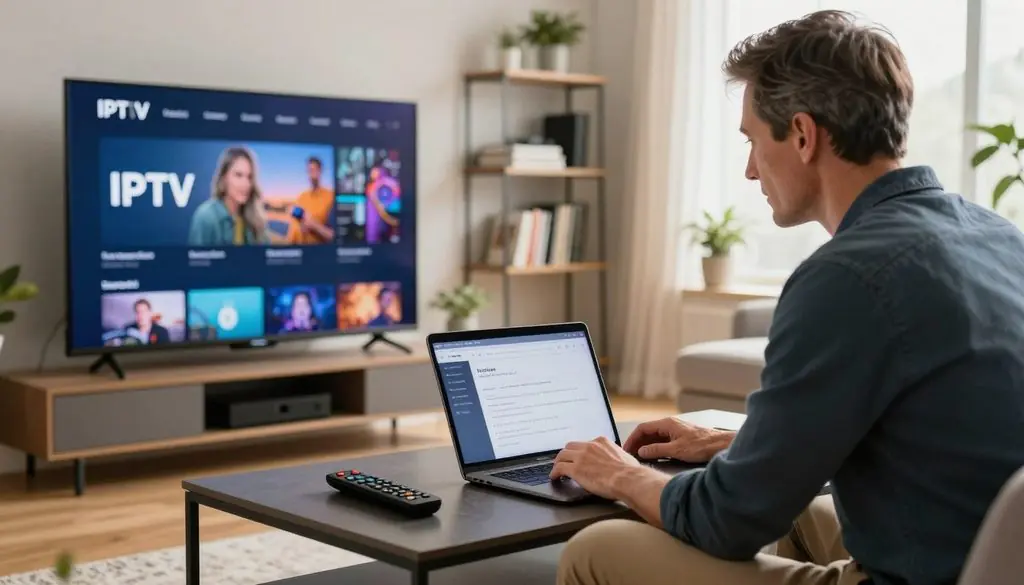
your iptv
Key Takeaways
- Check that the player works with the screen and access format.
- Get channel access from an authorized content provider.
- Read trial, renewal, and cancellation terms before checkout.
- Check the EPG against the channel playlist.
- Do not treat “best” or “4K” as proof of rights or playback quality.
- Confirm the exact amount due before paying.
IPTV vs Netflix vs Cable: What’s the Difference?
For an on-demand film night, Netflix is the simplest match, while cable is a better fit for viewers who prefer a traditional channel package. IPTV suits viewers seeking internet-delivered viewing, including live or on-demand programs when the provider holds the required rights.
IPTV names a delivery method, not a promise about a catalog or its licenses. IPTV sends television over internet protocol networks. Netflix streams films and series through an internet app, while cable TV delivers scheduled channels through a cable network.
| Option | Delivery | Typical viewing choice |
| IPTV | Internet protocol network | Live or on-demand content depends on provider |
| Netflix | Internet app | On-demand films and series |
| Cable TV | Cable network | Scheduled channel package |
For sport or news, a household may value live channels more than a large movie catalog. IPTV can suit that need, but the channels and programs depend on the service. A provider’s right to stream each title matters as much as the way it reaches the home.
IPTV describes how television travels over a network; it does not prove what a provider may legally stream.
Netflix makes it easy to browse films and series without choosing a scheduled channel. Cable can suit people who like familiar channel numbers and a set program lineup. IPTV offerings can include live shows, movies, or both, but households should check the actual package.
That distinction matters when a service advertises world channels or a deep VOD catalog. Those labels do not show whether a particular program is available in Australia or covered by the provider’s rights. A household can compare its usual viewing habits with the actual lineup before choosing.
Compare the actual channels and programs a household watches, not just the delivery label.
What Does an IPTV Subscription Provide, and What Does a Player Do?
An IPTV subscription comes from a content service provider; an IPTV player is software for loading and organizing access details. The subscription supplies access, while the player handles playback.
All IPTV Player is an example of a media player, not an IPTV subscription or content provider in 2026. It is separate from ProtoIPTV. A media player can organize and play IPTV content without supplying or hosting the channels itself.
Installing a player alone does not give viewers channel access. The user still needs details from a media service provider, such as a playlist or login. That distinction can be easy to miss when an app opens with a login screen.
A channel list inside an app does not, by itself, show who supplies the stream or holds rights to it. The app may display sample content, a guide, or details entered by a user. A screen that accepts credentials also does not prove that the app sells licensed programs.
Terms such as player IPTV subscription can blur two separate roles. An IPTV subscription is the access arrangement, and the player is the tool used to open it. Search wording like “IPTV IPTV subscription” does not change that distinction.
Some users may call the setup “IPTV IPTV,” but the repeated term still refers to internet television and its player. The provider and app should be identified by their actual roles. This helps customers know where to direct questions about channel access or playback trouble.
Before entering credentials, identify which company supplies the content and which app merely plays it.
How Do You Set Up Your IPTV in Australia?
A basic IPTV setup takes three steps: install a player, enter authorized playlist access, and load an EPG source. Use the provider’s own access details and a guide that matches its playlist.
The exact menu names vary by player and device. A viewer may see “add playlist,” “remote playlist,” or a similar command. The steps below apply to authorized access, not to accounts or streams obtained without permission.
Install a compatible IPTV player
First, install a player that supports the device and the access format supplied by the provider. Open the app and find its option for adding a playlist or account. A player cannot show live IPTV channels until it has valid access details.
The player may ask for permission to access local files or network features. Read each prompt and allow only what the app needs for its stated job. Keep the provider’s original message nearby while entering the information.
Add an M3U URL or Xtream Codes details
An M3U URL is a playlist address that the player uses to find streams. Xtream Codes is a login format with provider-supplied account details. Enter the format your provider gave you, since a player may not support both choices.
Check every character, including punctuation and capital letters. A mistyped URL or login can leave channels blank or produce an error. Some apps ask for an account name, password, and server address instead of one playlist URL.
Once the playlist loads, look for the groups or categories supplied with it. A service may place live TV, movies, series, and channels VOD in separate areas. Those labels depend on the provider’s setup and catalog.
Load and check the EPG
Next, add the EPG source if the provider supplies one. An EPG provides program times and names, but it is separate from the playlist itself. Some players let users refresh the guide from a settings screen.
Check that the guide’s channels match the playlist, then review a few program times. An EPG from a different playlist may show the wrong channel names or schedules. Incorrect credentials or a mismatched EPG source can stop channels or schedules from appearing.
A working playlist can still play without a guide, though browsing programs may take longer. The EPG is useful when the channel list is large or the viewer wants to find a scheduled show. Keep the provider’s access details private and check each entry for typing errors before troubleshooting the stream.
Which IPTV Apps and Devices Can Australian Viewers Use?
The right IPTV app is the one that supports the viewer’s screen and the provider’s access format. Confirm app availability and playlist support for the exact device model. A name on a list does not guarantee that an app works with ProtoIPTV.
Player examples include Smart IPTV, IPTV Smarters Pro, TiviMate, VLC Player, and Kodi. App availability differs across TVs, phones, tablets, and computers. Viewers should check the current app listing and playlist compatibility before choosing.
Match the player to the screen
A living-room TV may call for a remote-friendly menu, while a phone app should be easy to use on a smaller screen. A box connected to a TV may offer another way to run a player. The exact model and operating system still matter.
All IPTV Player lists phones, TVs, desktops, and tablets as supported device types in 2026. Its listed playback features include live TV, movies, series, catch-up, and radio. These are details for that app, not a compatibility promise for ProtoIPTV.
The same app’s listed tools include an EPG, parental controls, subtitles, favorites, and multi-screen viewing. These features can help a household choose a player, but the provider’s playlist and the device must still work with it. A feature label alone does not confirm that every stream supports it.
Check the features that matter at home
A useful shortlist starts with the device, then checks the app and format. This avoids paying for a player that cannot open the provider’s access details. Four points can narrow the choice:
- Operating-system and app availability
- Playlist-format support
- EPG refresh options
- Accessibility and parental-control needs
Viewers who watch with children may value controls that limit access. People who need captions should check subtitle support in the player and the content. A favorite list can also make a long lineup easier to browse.
App stores and device makers may change which versions they support. Check the exact device model and app listing before buying or activating a subscription.
What Internet Speed Does IPTV Need?
A 50 Mbps plan is a sensible headroom target for a household sharing its connection, while the stream’s resolution sets the lower benchmark. That plan figure is not a guarantee for IPTV playback.
Streaming needs vary by video quality and by what else uses the connection. These Netflix, Stan, and Disney+ figures provide reference points, not a fixed requirement for every IPTV subscription.
| Service or use | Stream quality | Speed figure |
| Netflix | 1080p | 5 Mbps minimum |
| Netflix | 4K or Ultra HD | 15 Mbps minimum |
| Stan | UHD 4K | 15 Mbps minimum |
| Disney+ | 4K UHD | 25 Mbps recommended minimum |
A 2023 Australian streaming guide lists 5 Mbps for Netflix 1080p as a minimum. It lists 15 Mbps for Netflix 4K or Ultra HD and Stan UHD 4K. Disney+ lists 25 Mbps as a recommended minimum for 4K UHD.
The same guide recommends a 50 Mbps internet plan to leave room for other users, devices, and network congestion. That is a plan-level headroom suggestion, not a promise that live IPTV channels or VOD films will play without pauses.
A speed test measures a connection at one time and place. Wi-Fi strength can fall across walls or distance, while several people streaming films and series can share the same bandwidth. Older devices may also struggle to decode high-quality video.
The stream provider can affect playback too. A fast home connection cannot fix a slow or unstable stream at its source. If live IPTV buffers but other services play well, the cause may not be the household’s plan alone.
Test near the viewing device at the time the household usually streams.
Is IPTV Legal in Australia?
In Australia, IPTV technology itself is not illegal; the key question is whether the provider has permission to stream the copyrighted content. Unauthorized streams can create copyright issues even when a player works normally.
The Copyright Act 1968 (Cth) covers copyright in TV programs, films, broadcasts, and sound recordings in Australia in 2026. Whether a stream is lawful depends on the rights attached to the content and the provider’s permission.
| Activity | Copyright concern | Permission point |
| Personal viewing of a subscription | Rights in the stream still matter | Check that the provider is authorized |
| Business display of copyrighted programs | May count as public performance or communication to the public | Permission may be required |
| Streaming without the rights holder’s permission | Can create copyright issues | Do not assume the technology makes the content lawful |
Personal use and business display are not the same. Consumer streaming subscriptions are often limited to personal, non-commercial use. A business may need a separate license to show programs to customers or staff.
Showing copyrighted content in a business can count as a public performance or communication to the public. Permission may be needed, even when the business already pays for a household subscription. The terms of a consumer account may not cover a public setting.
A large catalog or familiar channel names do not prove that a provider has the right to offer each program. Viewers can check rights information with the rights holder when the position is unclear. A qualified Australian lawyer can explain how copyright rules apply to a specific use.
The same care applies to live sport, movies, and recorded shows. The delivery method does not grant a license to stream them. Customers should assess the provider’s rights, not just the number of channels available.
A personal subscription should not be treated as permission to show programs to customers or staff.
What Should Viewers Check Before Taking an IPTV Trial?
A real free trial should show no trial charge at signup and should make its renewal terms visible before payment. A paid trial is not a free trial, even if it costs little.
The checkout should state the amount charged now in Australian dollars and the next billing date. A promotion that says “free” should show $0 due at signup. Buyers should read the checkout terms rather than infer them from an advertisement.
Before placing an order, check these four details:
- Amount due now and currency
- Trial duration and renewal date
- Cancellation and refund process
- Simultaneous-screen limit and support contact method
A paid trial charges an amount during its test period. A free trial does not charge for that period at signup, though it may renew later under the stated terms. The checkout should make that change clear before the customer pays.
A money-back guarantee is different from a free trial. It usually refers to a refund request after payment, with conditions set by the seller. The phrase “money back” does not explain how long a buyer has or which charges qualify.
Check how many screens can play at once, not just how many devices can sign in. Also note how to contact support if cancellation fails or a charge looks wrong. Keep a copy of the offer shown at checkout.
Do not assume that a free IPTV trial is available from ProtoIPTV or any other named service without clear terms. A trial may have limits that differ from a regular subscription. Save the checkout confirmation and the cancellation instructions in case the trial converts to a paid plan.
How Can Australian Viewers Avoid Unsafe IPTV Apps?
An IPTV app that imitates a banking or sign-in screen deserves more caution than one that simply asks for playlist access. Unexpected requests for financial details or broad device control are warning signs.
Fake Android IPTV apps may use overlays that copy sign-in or banking forms, record keystrokes, or take control of a device. An app asking for payment details in an unexpected pop-up should not be treated as a normal playback step.
Watch for these three warning signs before installing or signing in:
- Installation offered only through an unofficial store
- A login overlay unexpectedly requests banking or payment details
- Excessive pop-ups or permissions unrelated to playback
Android users should use official app stores where possible and read reviews before installing. Kaspersky advises avoiding unofficial app stores and checking reviews for apps in official stores. A listing in an official store alone does not prove that an app is trustworthy.
Reviews can help reveal reports of intrusive ads or strange login prompts. Read recent comments for details about permissions and playback, rather than relying only on a star score. An app that asks for access unrelated to its stated purpose deserves extra care.
Support claims do not establish that an app is safe. A “24/7 support” label says little about who handles the request or what data the app collects. Use the app’s stated purpose and permissions as the first checks.
Stop before entering credentials if an app’s permissions or payment prompts do not match its stated purpose.
What Should a 2026 ProtoIPTV Review Verify?
A useful ProtoIPTV review verifies its access, rights, device, and service terms before drawing a recommendation. Promotional labels such as “best IPTV” or “4K” do not prove rights or steady playback.
The requested framing, “Best IPTV Provider 2026: ProtoIPTV Australia Review,” should be treated as a review title, not a finding. A careful assessment separates details that can be confirmed from claims used to promote a service.
Check the advertised channels and content rights
Look for a clear account of channel and VOD access, including what content customers can actually open. A large catalog does not prove that the provider has rights to every title. The number of channels available matters less than access the provider can lawfully offer.
Review whether the provider explains its content rights and identifies the service behind the streams. A list of world channels or a 4K badge cannot answer those questions. Strong review evidence is specific, written, and tied to the service being assessed.
A large advertised catalog is not proof that a provider holds rights to every title it offers.
Compare support and service terms with household needs
Check which devices the service names, then compare those details with the household’s equipment. Read the renewal and cancellation terms in full, including the amount due and the timing of any renewal. These details help customers judge whether the service fits their budget and viewing habits.
A usable support route should explain how customers can contact the service and what issue it can address. A broad claim of 24/7 support is not the same as a clear way to get help. Note whether the service provides written terms that can be saved.
Do not infer prices, channel counts, rights, support hours, trial terms, or customer views from a review label. Each detail needs clear evidence tied to ProtoIPTV. Choose only after the details that matter to the household can be confirmed in writing.
Conclusion
A reliable IPTV decision starts with authorized content access and a player that fits the viewer’s device. A player does not supply channels, and a familiar app name does not show whether a stream has the proper rights.
Households can narrow their choice by matching the player to their screen and reading the service terms before signup. Lawful access depends on the provider’s rights, not on a playlist format or a VPN.
The next step is to check the exact device and checkout page before committing. Before paying, confirm the provider’s rights information, supported setup, and exact amount due.
FAQ
Can one IPTV playlist work on two screens at once?
Sometimes, but the provider sets the simultaneous-stream limit. A login that works on two devices does not prove that both can play at once. Some providers allow more than one active stream, while others restrict access to one. The limit may also depend on the subscription terms, so check the stated allowance before planning a shared viewing setup.
Do viewers need an EPG to watch IPTV?
No, an EPG is not required for basic IPTV playback. The playlist can provide stream access without program schedules. An EPG adds channel names, program times, and show details, which can make a long lineup easier to browse. It is a separate data source, so a working playlist may still need its own guide to display schedules.
Can a VPN make an unlicensed IPTV stream legal in Australia?
No, a VPN does not change copyright permission or make an unauthorized stream lawful in Australia. A VPN can route internet traffic through another server, but it does not grant a provider rights to broadcast programs. Viewers still need to consider whether the service has permission to stream the content, regardless of how the connection is routed.
Why does IPTV buffer even when the internet plan seems fast enough?
IPTV can buffer because of Wi-Fi signal strength, network congestion, other household users, device performance, or the stream provider. A speed test taken near the router may not reflect the signal beside the TV. Several active streams can also compete for bandwidth. If only one service struggles, the provider’s stream may be part of the problem.
Does IPTV work on Samsung or LG Smart TVs?
It can, but app availability and playlist compatibility depend on the exact Samsung or LG TV model and player. Some models may not offer the same apps as others, and an available app may not support the provider’s access format. Check the TV’s app store and the player’s supported formats before subscribing, rather than relying on the brand name alone.
What is the difference between M3U and Xtream Codes?
M3U uses a playlist URL, while Xtream Codes uses provider-supplied login details. Both formats can give a compatible IPTV player access to streams, but the player must support the chosen format. The provider usually supplies the format and the details. A user should not try to turn one format into the other by changing the text in a login screen.
Can a household subscription be used in a business?
Not necessarily. Consumer streaming subscriptions are often limited to personal, non-commercial use, while showing copyrighted programs to customers or staff may require separate permission. A business should not assume that a household account covers public display. The rights holder or a qualified Australian lawyer can help clarify permission when the intended use is unclear.
Leave a Reply